
CRMX Workflows Can Now Use Their Own Sender Domains
CRMX workflows can now use a selected verified sender domain. Learn the setup, override order, use cases, limits, and QA steps.
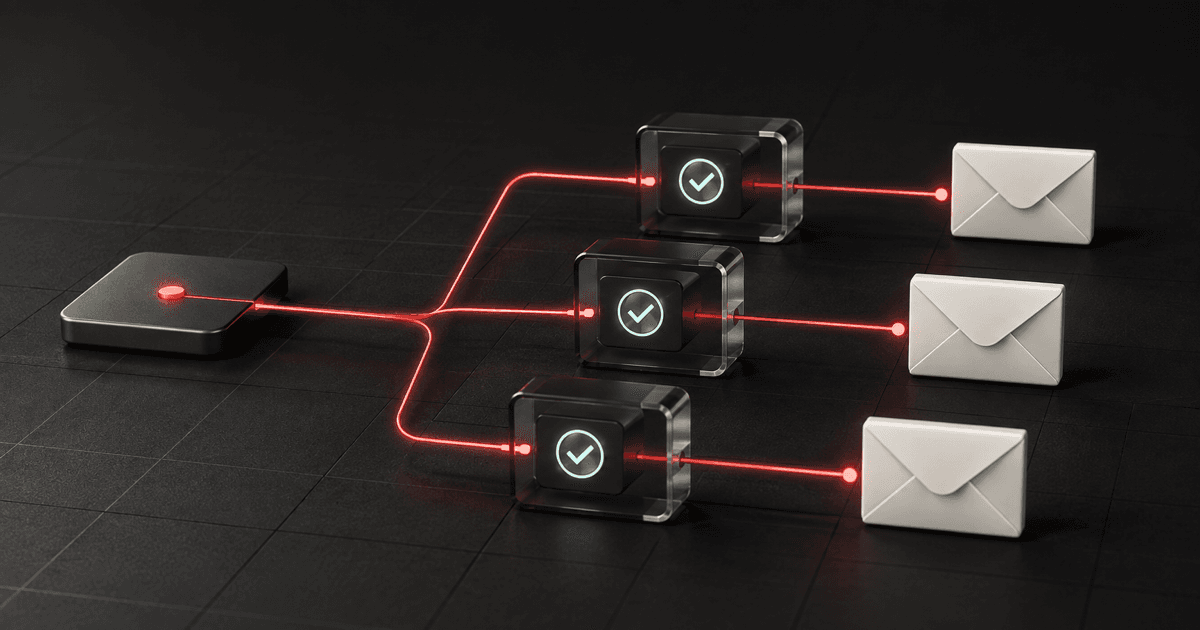
CRMX workflows can now use a specific verified sender domain instead of relying only on the subaccount's broader email-domain routing.
Open a workflow's settings, choose a domain under Sender domain, set the sender details, and the email actions in that workflow inherit the selection. That gives an operator a cleaner way to separate operational follow-up—such as appointment reminders or client onboarding—from newsletters, promotions, and other email programs.
The change was published in the official product changelog on August 28, 2026. It is useful, but it is not magic deliverability insurance. The domain must already be verified, sender and header overrides still matter, replies still need an owner, and the received message still needs to be tested.
What changed in CRMX Workflow Settings
The new Sender domain dropdown sits under the sender details in Workflow Settings.
It gives you two paths:
- Choose one verified domain. The workflow's email actions use that domain by default.
- Choose All domains. CRMX continues using the weighted distribution configured for the subaccount's dedicated domains.
The dropdown appears only when the subaccount has a verified dedicated domain available. The official dedicated-domain guide also limits these controls to accounts using LC Email.
Before this release, domain assignment could be managed by broader email type—for example, Workflows versus Email Campaigns. The new selector adds a more specific workflow-level decision. One operational workflow can use one verified domain while a separate nurture workflow uses another.
Why the workflow-level choice matters
Email follow-up is not one undifferentiated stream.
An appointment reminder, estimate follow-up, client onboarding note, event invitation, and monthly promotion have different jobs. They may have different sending rhythms, sender identities, reply owners, and consequences when something is configured incorrectly.
The new control lets the domain decision sit closer to the workflow that uses it. That makes the configuration easier to inspect and document:
- Which verified domain should this workflow use?
- What From Name and From Email should a recipient see?
- Where should a reply go?
- Who owns that reply?
- What evidence proves the live email used the intended settings?
This can reduce operational ambiguity and troubleshooting time. It does not guarantee inbox placement, opens, replies, appointments, or revenue. Domain reputation, authentication, content, sending patterns, recipient engagement, and provider behavior still affect what happens after CRMX sends the message.
Use the CRMX Route, Identify, Reply, Prove method
The dropdown is one control inside a larger sending decision. Use four checks before changing an active workflow.
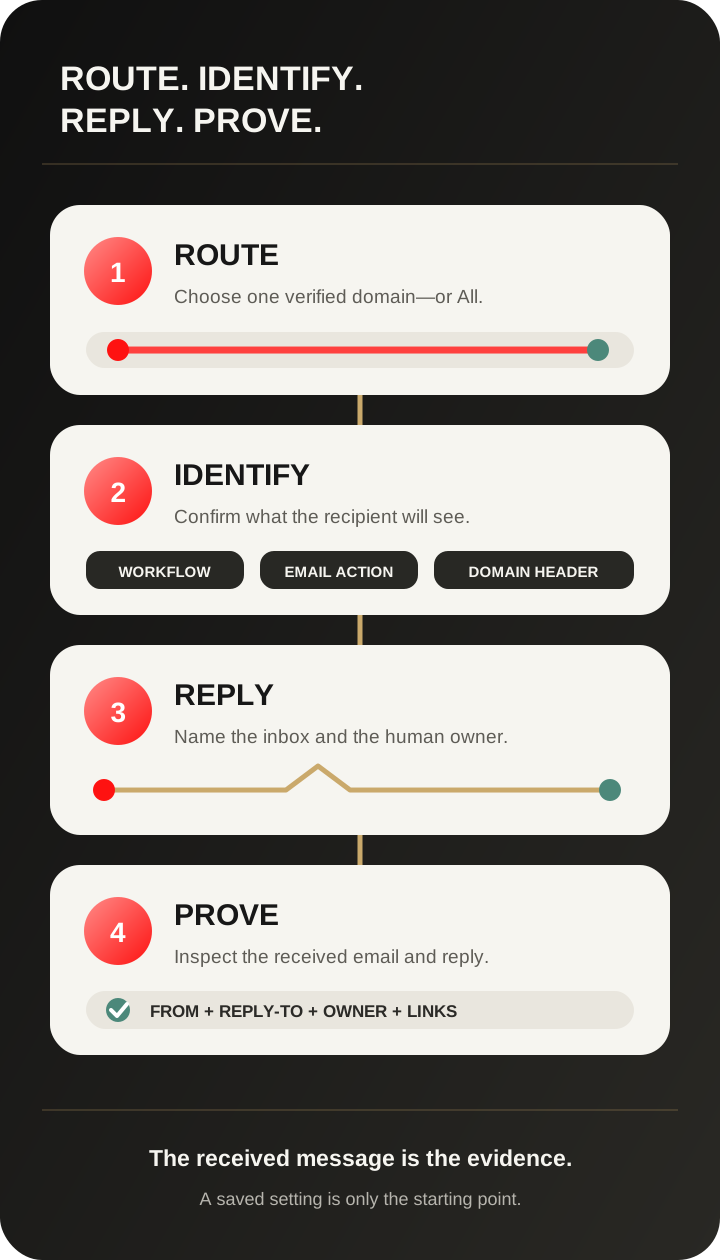
1. Route through the intended verified domain
Start with the workflow's job.
Operational follow-up may include confirmations, reminders, estimate updates, onboarding steps, or service instructions. Promotional follow-up may include newsletters, seasonal offers, event invitations, or long-term nurture.
Decide whether those messages should share a domain or use separate verified domains. Do not create extra domains merely because the selector exists. Every domain adds setup, monitoring, and QA work.
If you select All domains, document the weighted distribution that CRMX is expected to use. If you select one domain, confirm that it is verified in the same subaccount and appropriate for this workflow.
2. Identify the sender recipients should see
A sending domain and a visible sender identity are related, but they are not the same setting.
The release notes confirm that sender details inside an individual email action can override the workflow-level settings. They also state that dedicated-domain email headers can take priority over workflow settings.
The current default-header documentation makes that last rule explicit: when a default header is saved on the selected domain, its From Name and From Email override the campaign or workflow values.
Inspect all three layers before launch:
- the domain selected for the workflow;
- any sender details saved inside an email action;
- any default header saved on the dedicated domain.
The screen where you typed a sender name is not necessarily the identity the recipient will see. The received email is the final evidence.
3. Reply into a monitored path
The From address, Reply-To address, and human owner can be three different things.
The official default-header guide confirms that a domain's header controls the From Name and From Email but does not replace a separately configured Reply-To address. Use that separation intentionally.
For every customer-facing workflow, record:
- the Reply-To inbox;
- the person or team responsible for it;
- the expected response window;
- the handoff rule for sales, service, billing, complaints, or opt-out requests;
- the stop condition for automated follow-up after a real reply.
A polished sender domain does not help if the reply disappears into an unmonitored mailbox.
4. Prove the complete received experience
Send an internal test to an inbox outside the sending domain when possible. Then inspect the actual message, not only the CRMX editor.
Verify:
- visible From Name;
- visible From Email;
- Reply-To behavior;
- expected workflow and contact data;
- links and buttons;
- desktop and mobile rendering;
- reply routing and ownership;
- workflow history and any email error.
If you change the domain configuration, test a new workflow entry. The domain-assignment documentation says changes apply to new sends; emails already queued or in progress keep the domain assignment they had when triggered.
Example 1: home-service reminders and seasonal promotions
An HVAC company uses CRMX for two email paths:
- appointment confirmations and service reminders;
- a seasonal tune-up promotion.
The operations team assigns the confirmation workflow to a verified operational domain and the promotion workflow to a separate verified marketing domain. Each workflow has a sender identity that matches its purpose, and both route replies to monitored inboxes.
The operational messages use a service-team identity and direct replies to the scheduling desk. The promotional messages use the company's marketing identity and route interested replies into the approved sales follow-up process.
The team tests both workflows with real internal contact records. It checks the received From identity, clicks the primary link, replies to each email, and confirms that the right CRMX conversation and human owner receive the response.
The domain split does not guarantee better delivery. It makes the two email programs easier to configure, inspect, and own separately.
Example 2: coach or consultant onboarding and webinar nurture
A business coach sends client onboarding emails and also runs a recurring webinar funnel.
The onboarding workflow includes access instructions, preparation steps, and milestone reminders. Those messages use a verified client-communications domain and reply to the client-success inbox.
The webinar workflow uses a separate verified event domain for registration follow-up and post-event nurture. Replies that ask about attendance go to the event owner; replies that show buying intent follow the approved qualification path.
Before launch, the coach's team checks the dedicated-domain default headers. One domain already has a default From identity, so the workflow-level sender name would otherwise appear to be ignored. The team either accepts that identity or updates the domain strategy before sending.
That is the practical value of the new selector: not merely another dropdown, but a visible place to connect the workflow's purpose, sender, reply path, and owner.
How to choose a sender domain in CRMX
Use this sequence for one workflow at a time:
- In the subaccount, open Settings → Email Services → Dedicated Domain and IP.
- Confirm the intended domain is verified and review its default header, default-domain role, and any weighted distribution.
- Open the workflow.
- Open Workflow Settings.
- Under sender details, choose the intended option from Sender domain.
- Set the workflow's From Name and From Email.
- Inspect every email action for a sender override.
- Save the workflow.
- Add a controlled internal test contact through a fresh workflow entry.
- Inspect the received email and send a reply.
- Confirm the reply appears in the expected CRMX conversation and reaches the named owner.
- Record the tested domain, sender identity, Reply-To inbox, date, and result.
Do not change every live workflow at once. Start with one high-value path, prove the full loop, and use the evidence to define the next migration.
Limitations and rollout notes
Keep these boundaries visible:
- The selector requires LC Email and at least one verified dedicated domain in the subaccount.
- If no verified dedicated domain exists, the dropdown does not appear.
- All domains uses the existing weighted domain distribution instead of fixing the workflow to one domain.
- Sender details inside an email action can override the workflow-level selection.
- A default header on the dedicated domain can override the workflow's From Name and From Email.
- Reply-To is a separate setting and needs its own test.
- Emails already queued or in progress retain the domain assignment they had when triggered.
- Selecting a domain does not prove DNS health, inbox placement, reply ownership, or message quality.
If the received message does not match the workflow settings, check the action-level sender details and dedicated-domain headers before assuming the new selector failed.
Where CRMX AI employees fit
A CRMX AI employee can help after an email recipient replies—answering approved questions, asking one useful qualification question at a time, routing the conversation, or handing it to a person.
The sender-domain setting does not train the AI employee or change its authority. It gives the workflow a more intentional sending route. The AI employee still needs accurate knowledge, clear escalation rules, a named human owner, and stop conditions.
Use the domain choice to support a coherent customer experience. Do not use a different domain or identity to imply that a person, department, or promise exists when it does not.
Workflow sender-domain QA checklist
Before activating or changing an important workflow, confirm:
- The workflow has one clear job and audience.
- The selected domain is verified in the correct subaccount.
- The account uses LC Email.
- The choice between one domain and All domains is documented.
- The workflow-level From Name and From Email are correct.
- Every email action has been checked for overrides.
- The domain's default header has been checked.
- The Reply-To inbox is monitored.
- A named person or queue owns replies.
- A fresh internal test used the same entry path as a real contact.
- The received From identity and Reply-To behavior passed.
- Links and mobile rendering passed.
- Workflow history shows the expected send or a visible error.
- The test evidence and date are recorded.
Frequently asked questions
Does every workflow need its own domain?
No. The feature allows a workflow-level choice; it does not require a unique domain for every workflow. Group workflows according to a deliberate email strategy and the monitoring capacity your team can actually maintain.
What happens if I choose All domains?
CRMX continues using the weighted distribution configured across the subaccount's verified dedicated domains. Review that distribution before assuming which domain a specific message will use.
Why does the recipient see a different From name than the workflow setting?
Check sender details inside the email action and the default header on the selected dedicated domain. Both can take precedence over the workflow-level sender fields.
Does choosing a sender domain improve email deliverability?
It gives you more control over which verified domain a workflow uses. It does not guarantee delivery or inbox placement. Authentication, reputation, sending behavior, content, engagement, and mailbox-provider decisions still matter.
Will changing the setting affect emails already waiting to send?
Official documentation says emails already queued or in progress keep the domain assignment they had when triggered. Use a new workflow entry when testing a changed configuration.
Does the sender domain decide where replies go?
Not by itself. Reply-To can be configured separately, and a real person or queue still needs to own the response path.
Give every workflow a known sender and owner
The best use of this feature is not “more domains.” It is less ambiguity.
For each important email workflow, make four things visible: the domain that routes the message, the identity the recipient sees, the inbox that receives the reply, and the evidence that proves the complete path works.
That is how a small setting becomes a stronger CRMX Revenue Flywheel: follow-up leaves from an intentional source, reaches the customer with a coherent identity, and returns to an owner who can move the conversation forward.
For a broader look at how CRMX connects inbox, calendar, pipeline, and automation, explore the CRMX platform. When you want help mapping the sender and ownership rules across your current workflows, request a live CRMX strategy demo.