
CRMX Conversation AI Now Pauses After External Team Replies
CRMX Conversation AI can now pause after a synced team reply from a connected external channel, creating a cleaner human-to-AI handoff.
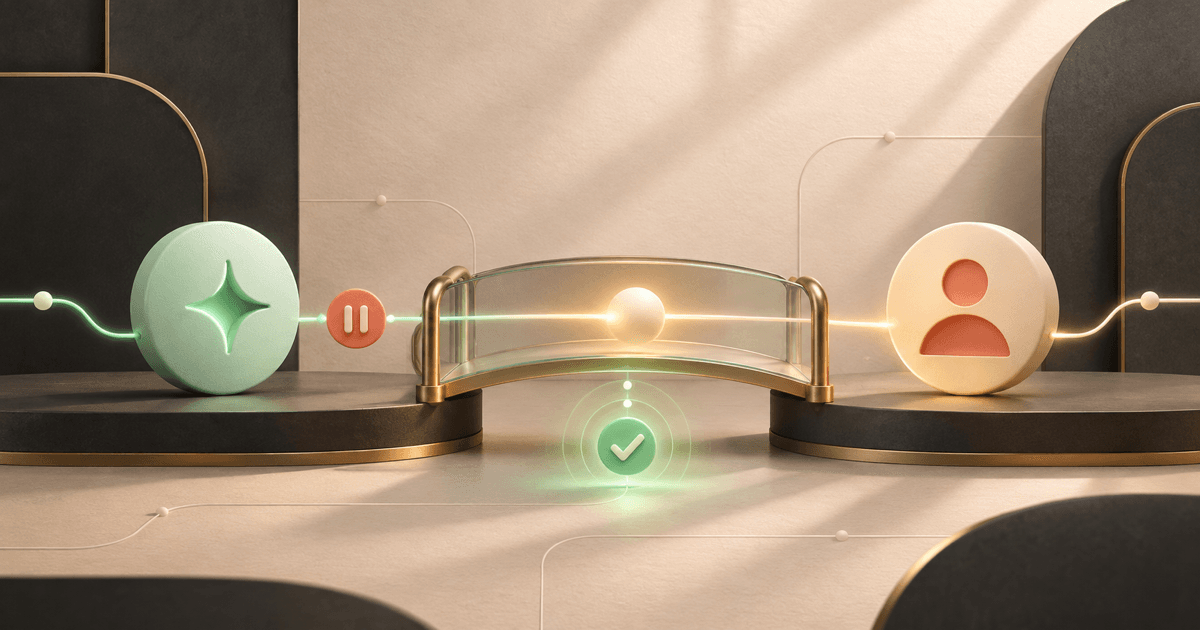
CRMX Conversation AI can now pause for a contact when a team member replies from outside CRMX and that reply syncs into the conversation.
That closes an important handoff gap. A team member can answer from a connected external channel, and the AI employee can respect the same Manual Message sleep rule used for replies sent inside CRMX.
The improvement was published in the official product changelog on November 25, 2026. It applies when:
- the Conversation AI bot is in Auto Pilot;
- Manual Message is enabled under the bot's sleep settings;
- the team reply is sent through a supported channel and syncs into the CRMX conversation; and
- the configured sleep time is still in effect.
The changelog lists SMS, custom SMS providers, WhatsApp, Facebook, Instagram, TikTok, Web Chat, and Live Chat. It also states an important exception: an email reply sent outside CRMX does not trigger this sleep behavior yet.
This is not a universal “human takeover” switch. It is a contact-level pause controlled by your bot settings, the connected channel, successful message sync, and the configured wake behavior.
What changed in CRMX Conversation AI
Before this release, the team could have a clean sleep rule for manual replies sent from CRMX but a less predictable handoff when someone answered from another connected workspace.
Now, when that external team reply syncs into the conversation, CRMX can treat it as the manual-message event that puts the bot to sleep for that contact.
External replies can use the existing Manual Message rule
You do not configure a separate “external reply” timer.
The release uses the bot's existing setting under:
AI Agents > Conversation AI > Bot Settings > Timing & Pacing > Send bot to sleep when I send a: > Manual Message
Turn on Manual Message, choose the sleep time, save the bot, and test the behavior on a supported connected channel.
The pause belongs to the contact conversation
The current official bot-status guide explains that Conversation AI can be active, inactive, or sleeping for an individual contact without changing every other contact's AI behavior.
While the bot is sleeping, incoming messages continue to arrive. The bot remains paused until the configured wake point or until an authorized user changes its status.
That distinction matters: the customer can still answer. The conversation is not closed. The AI employee is simply not generating a reply during the sleep window.
Workflow messages keep their own sleep setting
The new release does not merge human replies and workflow messages into one control.
Messages sent by a workflow continue to follow the bot's Workflow Message sleep setting. A team reply follows the Manual Message setting.
If your process uses both, configure and test both. A workflow message is not evidence that a human took ownership, and a human reply should not silently change how every workflow message behaves.
Why the change matters operationally and financially
The operational risk is simple: two parties can appear to own the same conversation.
A dispatcher answers a homeowner from an external inbox. A coach replies personally to an Instagram prospect. A consultant steps into a nuanced question. If the AI employee continues at the same time, the customer may receive overlapping answers, conflicting next steps, or an automated reply after a person has already taken over.
A reliable pause helps the team create a cleaner ownership moment:
- the AI employee handles the approved early conversation;
- a person decides the conversation now needs human ownership;
- the person replies from the channel where they are already working;
- the reply syncs into CRMX;
- the bot sleeps for that contact; and
- the person finishes the next part of the conversation.
Financially, the feature does not prove more revenue, higher booking rates, or better close rates. Its value is risk reduction inside an existing lead-to-customer path. It can help prevent a good conversation from becoming confusing at the exact moment a real person is trying to move it forward.
The teams most likely to benefit are:
- home-service businesses whose dispatchers or managers answer social messages outside CRMX;
- coaches who personally step into a prospect conversation after the first questions are handled;
- consultants who need a human to answer fit, scope, or decision questions;
- CRMX administrators responsible for AI response rules and connected channels; and
- operators who want a visible boundary between AI-owned and human-owned follow-up.
How to enable the external-reply pause in CRMX
Use a test bot or an authorized test contact before depending on the behavior for live leads.
- Go to AI Agents > Conversation AI.
- Open the bot assigned to the channel you want to test.
- Confirm the bot is configured for Auto Pilot.
- Open Bot Settings.
- Under Timing & Pacing, find Send bot to sleep when I send a:.
- Turn on Manual Message.
- Set the sleep duration your operating process requires.
- Save the bot.
- Start a test conversation through the intended connected channel.
- Send a team reply from the external channel or workspace.
- Confirm that the reply appears in the same CRMX conversation.
- Confirm that Conversation AI is sleeping for that contact.
- Review the contact or location Conversation AI Activity audit log.
- Send another inbound test message and confirm the human owner—not the sleeping bot—handles the next step.
- Verify how and when the bot wakes before the test is considered complete.
The current Conversation AI setup guide recommends testing representative behavior before enabling Auto Pilot. That is especially important here because the feature depends on the intended bot, intended channel, intended contact, and intended sleep configuration all working together.
Use the CRMX RELAY handoff method
The feature creates the pause. Your operating method creates the handoff.
Use the CRMX RELAY method to verify that a human reply became real ownership instead of an unobserved automation assumption.
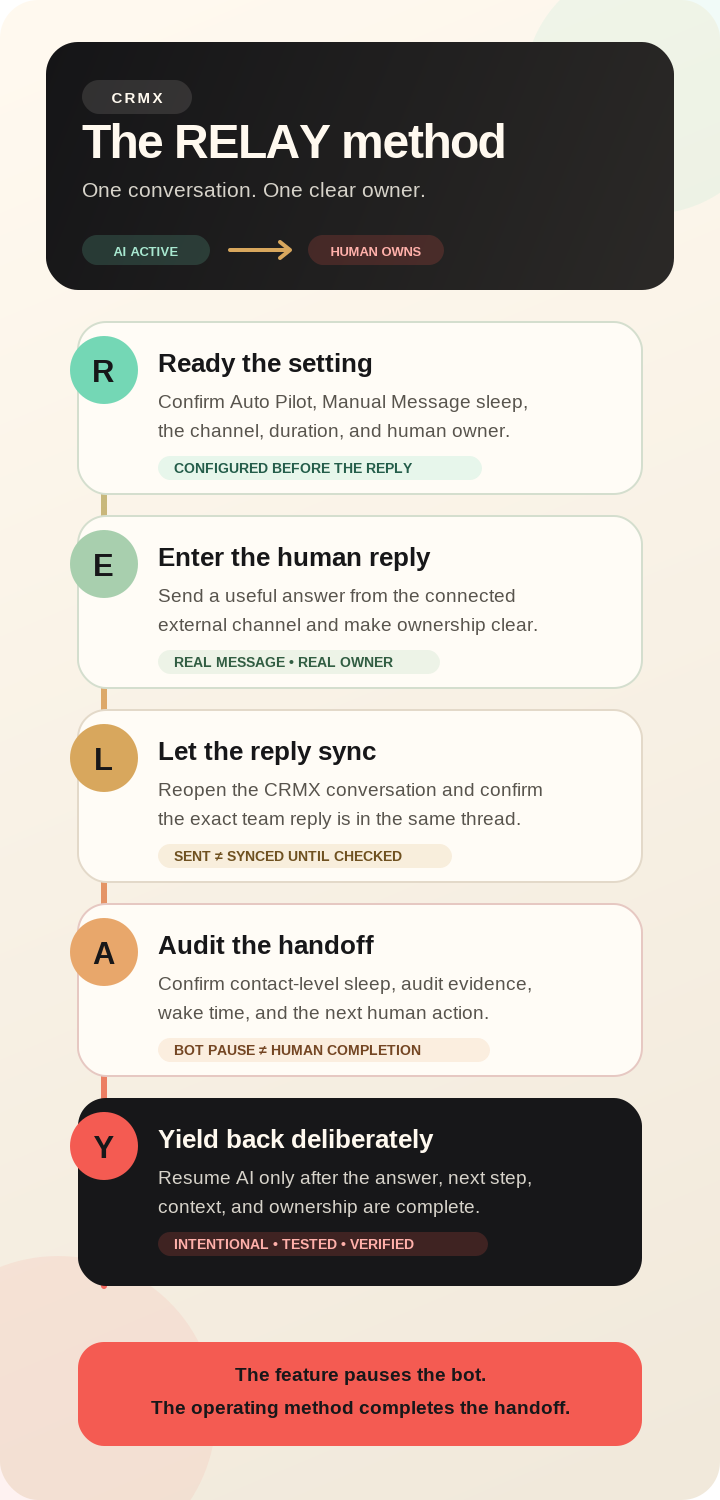
1. Ready the setting
Before the conversation starts, confirm:
- the intended bot is assigned to the intended channel;
- Auto Pilot is the active response mode;
- Manual Message sleep is enabled;
- the sleep time is long enough for the human's actual work; and
- the human owner knows what must happen before the bot can resume.
The setting should reflect the operating process. A five-minute sleep window is not useful if a dispatcher normally needs 20 minutes to review job history, check availability, and answer the homeowner.
2. Enter the human reply
The team member sends a real, useful response from the connected external channel.
The reply should do more than signal presence. It should make ownership clear and move the conversation forward.
For example:
I have this now. I am checking the service notes and will send the available options next.
That message gives the customer a clear expectation while the human gathers the information needed for the next answer.
3. Let the reply sync
A sent message is not yet proof of a CRMX handoff.
Reopen the contact conversation and confirm that the exact team reply appears in the same thread. If the reply does not sync, do not assume the sleep event occurred.
Check the connected channel, contact match, message status, and intended conversation before troubleshooting the bot itself.
4. Audit the handoff
Confirm the bot is sleeping for that contact.
Use the status control in Conversations and, when needed, review Conversation AI Activity in the audit log. The official audit guide documents pause events, triggers, timestamps, responsible users or System, and sleep-time details when available.
Then confirm the named human or queue owns the next action.
This is the key boundary:
A sleeping bot proves a bot-status change. It does not prove that the human completed the follow-up.
5. Yield back deliberately
Do not let the bot wake by accident while the human still owns the conversation.
Before AI resumes, decide whether the person has:
- answered the question;
- confirmed the appointment or next step;
- recorded the relevant context;
- told the customer what will happen next; and
- reached a safe point for the AI employee to continue.
If those conditions are not met, extend the pause, keep the bot inactive, or continue with human ownership according to the approved process.
Example: a home-service dispatcher takes over a social inquiry
A homeowner messages an HVAC company through Facebook after seeing a maintenance offer. The CRMX AI employee collects the service address, system type, and preferred time window.
The homeowner then asks whether an existing membership covers the visit.
That answer depends on account history and the company's approved membership rules, so a dispatcher takes over from Meta Business Suite.
Using RELAY, the team:
- confirms the Conversation AI bot is on Auto Pilot with Manual Message sleep enabled;
- replies that the dispatcher is checking the membership record;
- confirms the reply synced into the CRMX conversation;
- verifies that the bot is sleeping for that homeowner;
- assigns the dispatcher as the human owner;
- reviews the actual membership record and gives the approved answer; and
- returns the bot only after the visit, coverage decision, and next step are clear.
The pause prevents the AI employee from continuing while the dispatcher is reviewing a customer-specific exception. It does not authorize the AI to interpret the membership or promise coverage.
This is how the feature supports the CRMX home-services system: the AI employee can help capture and qualify the inquiry, while a named person owns the exception that requires real account context.
Example: a coach takes over an Instagram conversation
A prospect replies to a coach's Instagram content and asks for help choosing between a group program and private consulting.
The CRMX AI employee can answer approved logistical questions and collect the prospect's goal, timing, and preferred format. The prospect then shares context that requires the coach's judgment.
The coach replies from the connected social workspace:
I have read this and I want to answer it personally. Give me a few minutes to look at the two paths with your goal in mind.
The team confirms that the message synced, verifies the bot is sleeping, and leaves the coach in control until the fit conversation is complete.
The coach can then:
- ask one clarifying question;
- explain the verified differences between the programs;
- recommend the appropriate next conversation without inventing fit or outcomes;
- book or share the approved scheduling path; and
- record the decision context before AI resumes.
For the larger lead journey, the CRMX coaches and consultants solution connects the initial conversation, qualification, booking, and long-term follow-up without pretending every decision belongs to automation.
Where CRMX AI employees fit
This release is directly relevant to CRMX AI employees because ownership is part of the job design.
An AI employee should know:
- which questions it may answer;
- which facts it may use;
- which actions it may take;
- when it must stop;
- who receives the handoff; and
- what evidence confirms that the handoff occurred.
External-reply sleep improves one part of that design. It gives a human response from a supported connected channel a clearer way to pause Auto Pilot for the contact.
It does not replace:
- approved knowledge and training;
- qualification and booking boundaries;
- human escalation rules;
- connected-channel testing;
- conversation review;
- assignment and ownership; or
- verification of the customer's actual outcome.
Explore CRMX AI employees for the broader role design: approved knowledge, conversation logic, booking boundaries, and human handoff.
Limits and rollout notes
The official changelog presents the feature as currently available and states no beta, Labs, phased, regional, agency-only, plan, or mobile restriction for this release.
Important limits remain:
- Auto Pilot is required. The release describes this behavior for bots in Auto Pilot with Manual Message sleep enabled.
- Manual Message sleep must be on. An external reply does not override a disabled setting.
- The reply must sync into the CRMX conversation. A message that remains outside CRMX cannot be treated as observed handoff evidence.
- External email replies are excluded for now. The changelog says they do not put the bot to sleep yet.
- Workflow messages use a separate control. Test the Workflow Message setting independently.
- Sleep is temporary unless configured otherwise. Know the wake point before relying on the handoff.
- Supported channels still need valid connections. This release does not create or repair the underlying channel connection.
- A sleeping bot does not assign a human. Your team still needs a named owner, queue, or operating rule.
- A human reply does not prove resolution. Verify the answer, appointment, estimate, application, task, or other intended outcome.
- One successful test does not prove every channel. Test each channel and reply path your team actually uses.
External-reply handoff QA checklist
Before relying on this feature for live conversations, confirm:
- You opened the intended CRMX subaccount.
- You opened the bot assigned to the intended channel.
- The bot is in Auto Pilot.
- Manual Message sleep is enabled.
- The configured sleep duration matches the real human-response process.
- The external channel is connected and syncing into CRMX.
- The test used an authorized test contact.
- The team reply was sent from the intended external workspace.
- The exact reply appeared in the same CRMX conversation.
- The bot status changed to sleeping for that contact.
- The audit log recorded the expected Conversation AI activity when investigated.
- Incoming contact messages still appeared while the bot was sleeping.
- A named human or queue owned the next action.
- Workflow messages were tested against their separate sleep setting.
- External email was not treated as a supported trigger.
- The wake time or reactivation path was verified.
- The human finished or documented the handoff before AI resumed.
- The final customer-facing outcome was verified separately.
Frequently asked questions
Will any team reply put CRMX Conversation AI to sleep?
No. For this release, the bot must be in Auto Pilot, Manual Message sleep must be enabled, the reply must come through a supported channel, and the reply must sync into the CRMX conversation.
Which external reply channels are supported?
The November 25 changelog lists SMS, custom SMS providers, WhatsApp, Facebook, Instagram, TikTok, Web Chat, and Live Chat. The exact external sending workflow varies by channel, so test the one your team actually uses.
Does an external email reply put the bot to sleep?
Not yet. The changelog explicitly excludes email replies sent outside CRMX from this behavior.
Do workflow messages use the same setting?
No. Workflow messages continue to follow the bot's separate Workflow Message sleep setting. Human replies use the Manual Message setting described in this release.
What happens to customer messages while the bot is sleeping?
They continue to arrive in the conversation. Conversation AI stays paused until the configured wake point or an authorized status change.
How can I verify why the bot paused?
Check the bot status for the contact and review Conversation AI Activity in Audit Logs. The audit view can show the status change, trigger, time, responsible user or System, and pause details when available.
Does the pause prove that a human completed the follow-up?
No. It proves the bot changed state. Reopen the conversation, confirm the human's next response, and verify the appointment, estimate, application, decision, or other operational result separately.
What to do next
Choose one connected channel your team uses outside CRMX and run a controlled RELAY test:
- confirm Auto Pilot and Manual Message sleep;
- send a human reply from the external channel;
- verify the reply synced;
- verify the contact-level sleep and audit evidence;
- finish the human-owned next step; and
- verify the wake or reactivation path.
Then document the named owner, acceptable sleep time, and conditions for returning the conversation to AI.
Connect that handoff to the wider CRMX Revenue Flywheel. The goal is not simply to pause the bot. The goal is to keep the lead moving with one clear owner at a time.
If you want help designing the AI role, human handoff, connected channels, and follow-up proof path as one tested system, request a CRMX strategy demo.