
Home Service Lead Qualification: The CRMX ROUTE Card
Use the CRMX ROUTE Card to qualify home-service leads, protect the schedule, and move each inquiry to the right booking or human handoff.
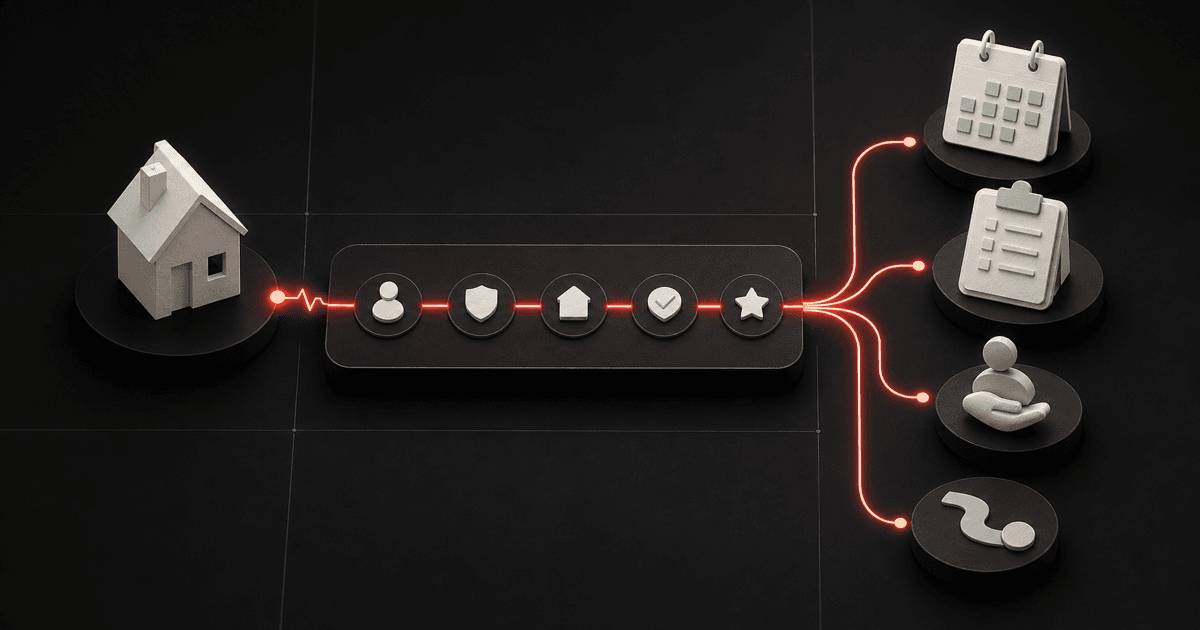
A new lead is not automatically a job your team should put on the calendar.
It may be the right service in the wrong area. A valid request that needs an estimate instead of a service visit. A time-sensitive situation that belongs with a person. Or a good future opportunity that is not ready to book today.
The answer is not a twenty-question intake form. It is a short qualification route: collect only the facts that change the next step, keep safety and judgment with the right human, and give every outcome an owner.
That is the job of the CRMX ROUTE Card.
The canonical Five Fortune Engines framework starts with attention, turns it into captured opportunity, protects the relationship through follow-up, prepares the conversion path, continues the customer experience after the sale, and automates only after the system is clear. This article applies all six ideas to one practical home-service moment: the gap between “I need help” and the correct next action.
Qualification is routing, not rejection
Many businesses treat qualification like a locked door. The form keeps asking questions until the customer proves they deserve a callback.
That is the wrong mental model.
Qualification should help the customer reach the useful path faster. Google Ads now describes qualifying responses as a way to collect details about need, interest, or readiness so a lead can be identified and segmented. The important lesson is not the ad setting itself. It is that a question earns its place only when the answer changes the route.
For a home-service business, that normally means five decisions:
- What does the customer need?
- Is the property inside the operating area?
- Does the request hit an urgency or safety boundary?
- Which team, appointment type, and time path fit?
- What should happen next, and who owns it?
Everything else can wait until it is genuinely useful.
The CRMX ROUTE Card
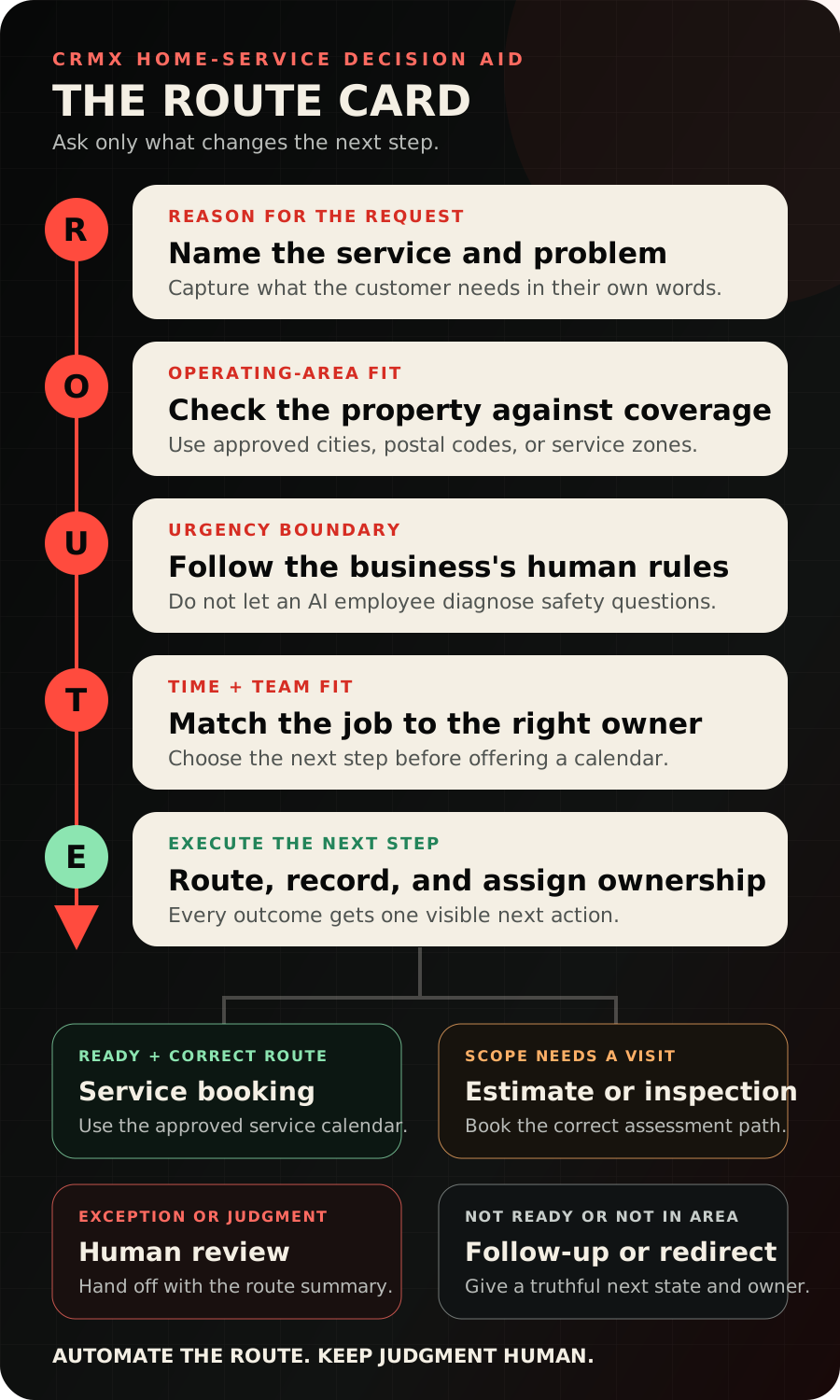
| Letter | Decision | Minimum useful output |
|---|---|---|
| R — Reason | Why is the customer reaching out? | Approved service type plus the customer's plain-language description |
| O — Operating-area fit | Can the business serve this property? | In area, needs review, or out of area |
| U — Urgency boundary | Does the request require a person or a business-approved urgent path? | Standard route or immediate human handoff |
| T — Time and team fit | What kind of next step belongs on whose schedule? | Service visit, estimate, inspection, consultation, or human review |
| E — Execute | What is the visible next action? | Book, follow up, redirect, or assign a person |
The card works on a website form, in web chat, by text, or during a call. The wording can change by channel. The five decisions should not.
R: capture the reason in the customer's language
Start with one open question:
What is happening, and what would you like help with?
Then map the answer to an approved service category.
Do not force the customer to diagnose the equipment, roof, plumbing, wiring, or property condition. “The upstairs is not cooling” is useful customer language. The system can attach the approved category HVAC service request without pretending the customer or AI employee knows the cause.
This is where the Attention and Lead Capture engines meet. The public promise should attract work the business wants, and the intake should preserve enough context to continue the conversation.
If a page advertises roof inspections but the first form choice says only “General inquiry,” the message and capture path are disconnected. Use specific pages, funnels, and questions for the work you actually route.
O: make operating-area fit explicit
Service-area businesses travel to the customer's location, which makes geography part of qualification. Google's current Business Profile guidance tells service-area businesses to be specific and accurate about where they provide services.
Build the same discipline into the lead path.
Ask for the property city or postal code early enough to prevent a bad booking, but not before the customer understands why it matters. Store the result as a route state:
- In area — the property matches an approved service zone.
- Needs review — a boundary, travel exception, commercial job, or location question needs a person.
- Out of area — the business does not serve that location under the current rules.
Out of area is still a customer experience. Give a clear, respectful answer. Do not offer a calendar the team cannot honor, and do not leave the lead in an active booking sequence.
U: define urgency without asking AI to diagnose
Urgency is not a technical conclusion. It is a routing boundary written by the business.
A trained CRMX AI employee can recognize approved phrases, ask the approved next question, and move the conversation to a person. It should not invent safety advice, declare a situation safe, diagnose a failure, or promise emergency availability.
Write the boundary in plain language:
- which phrases or answers require immediate human review;
- who receives the handoff;
- what the AI employee may say while the handoff is being prepared;
- what it must never diagnose, promise, or book;
- what happens when the assigned person is unavailable.
The purpose is not to make Guy sound cautious. It is to make the operating rule unambiguous.
T: match the request to the next step before showing time slots
One calendar for every inquiry feels simple. It usually pushes complexity onto the office.
Decide which appointment types exist and what makes each one appropriate. A compact starting set might be:
- Service visit for a supported problem with a defined dispatch path.
- Estimate appointment for work that requires scope and pricing.
- Inspection when the business needs to assess conditions before recommending a path.
- Human review for exceptions, urgent boundaries, commercial requests, unclear scope, or anything outside the AI employee's authority.
Then document the minimum facts needed before each calendar can be offered.
The Conversion Engine begins before the appointment. Send the owner a clean request summary. Give the customer clear expectations about the visit. Keep the conversation, appointment, and opportunity connected so nobody has to reconstruct the story.
E: execute one truthful next step
The route is not complete when the AI employee finishes asking questions. It is complete when the system records what is true and assigns what happens next.
Use four outcome families:
| Outcome | What happens next | What should stop |
|---|---|---|
| Service booking | Offer the approved service calendar and begin confirmation | Generic new-lead follow-up |
| Estimate or inspection | Offer the correct assessment path and send preparation details | Incompatible service-booking prompts |
| Human review | Notify the assigned person with the full ROUTE summary | Further automated qualification |
| Follow-up or redirect | Set a dated future step or close the active path honestly | Repeated booking pressure |
This is the Follow-Up Engine in practice. Ready leads keep moving. Not-now leads get a truthful future state. Exceptions get a person. Out-of-area inquiries do not remain disguised as open opportunities.
Build the ROUTE path in CRMX
Treat the following as a build specification. It does not mean your current account is already configured this way.
1. Align the page, form, and first question
Use a service page or funnel whose promise matches the request categories in the ROUTE Card. Collect name, a usable contact method, property location, and the first routing answer.
If a question does not change the next message, field, owner, calendar, pipeline stage, or workflow, remove it from the first interaction.
2. Give Guy one job
Use a one-sentence role:
Guy captures the reason for the home-service request, checks approved operating-area and urgency rules, identifies the correct next-step category, offers only the assigned calendar, and hands exceptions to a human with context.
Train the role on approved services, service areas, normal business rules, appointment types, common questions, booking boundaries, and escalation instructions.
For the broader training method, read how to train an AI receptionist to answer, qualify, and book.
3. Store route facts separately
Keep the five ROUTE facts in stable fields instead of burying them in a conversation summary:
- request reason;
- approved service category;
- property city or postal code;
- operating-area state;
- urgency or handoff state;
- appointment path;
- assigned owner;
- next-action date.
The conversation summary is still useful. The structured route facts are what make reporting, workflow decisions, and human review consistent.
4. Make pipeline stages describe customer state
A practical route pipeline might include:
- Captured
- Working
- Qualified — Service
- Qualified — Estimate or Inspection
- Human Review
- Booked
- Not Now
- Out of Area
- Won
- Lost
Do not create a stage for every message. Use the pipeline to show what is true about the opportunity and who owns the next move.
5. Automate after the route works by hand
Build the Automation Engine around a tested path:
- capture the inquiry;
- record the ROUTE facts;
- assign the route state;
- offer the approved appointment or notify the human owner;
- begin the matching preparation or follow-up;
- stop incompatible sequences;
- update the opportunity when the outcome changes.
Test each route with non-customer records before activation. A clean happy path is not enough. Test an unknown service, a boundary location, an urgent phrase, a customer asking for a person, a no-reply path, and an appointment that should stop the remaining follow-up.
Use case 1: an HVAC no-cool inquiry
A homeowner says the upstairs is not cooling.
Guy captures the request in the customer's language and maps it to the approved HVAC service category. The postal code is in area. None of the business's human-review phrases is present. The customer wants the earliest approved service window.
The route becomes:
- Reason: upstairs not cooling;
- Operating area: in area;
- Urgency boundary: standard service route;
- Time and team: HVAC service calendar;
- Execute: offer the approved window, create the qualified service state, and send the assigned technician or office owner the summary.
The AI employee did not diagnose the system. It created a useful route.
Use case 2: a roofing leak inquiry
A homeowner reports water entering near a ceiling during a storm.
Guy captures the property location and the customer's words, then the business's urgency boundary sends the conversation to human review before any inspection time is promised.
The handoff summary says:
Request: active water entry near the living-room ceiling
Area: approved service zone
Boundary: urgent human review required
Customer preference: phone call
Owner: on-call office lead
Next action: review and respond using the business's approved urgent-request procedure
The human can decide what the business should say and whether an inspection path is appropriate. The AI employee keeps the context intact and stays inside its role.
Measure routes, not just raw leads
Google Analytics currently distinguishes optional lead events such as lead generation, qualification, active lead work, and converted or unconverted outcomes. Your internal names do not have to match those events, and this article does not assume CRMX emits them automatically.
The useful principle is to measure movement deeper than the form submission.
Use CRMX pipelines, conversations, workflows, calendars, and reporting to answer:
- Which pages and sources produce in-area requests?
- Which service categories become qualified opportunities?
- Which route creates booked appointments?
- Where do leads wait without an owner?
- Which reasons produce human review or out-of-area outcomes?
- Which appointments become won jobs?
- Which loss reasons should change the message, intake, or operating rule?
That scorecard closes the loop between Attention, Lead Capture, Follow-Up, Conversion, and Automation. A clean handoff also starts the Raving Fan Engine: the customer does not have to repeat the problem to every person they meet.
The ROUTE build checklist
Before activation, verify every item:
- Each public promise maps to an approved service category.
- The first question captures the reason in the customer's own words.
- Property location is collected only when it changes the route.
- Service-area states are specific and maintained by an owner.
- Urgency and safety-sensitive phrases trigger approved human handling.
- Guy never diagnoses, invents availability, or promises an outcome.
- Each appointment type has clear entry rules.
- Only the assigned calendar is offered for that route.
- Human handoffs include the full ROUTE summary and next action.
- Pipeline stages describe customer state, not message history.
- Booking, human ownership, opt-out, won, lost, and invalid states stop incompatible follow-up.
- Not-now opportunities receive a real future date.
- Out-of-area inquiries leave the active booking path.
- Reports separate captured, working, qualified, booked, won, and lost outcomes.
- Every route is tested on desktop and mobile with non-customer records.
Put the first question to work
Start with one service line, one approved area, one appointment type, and one human-review path. Run the ROUTE Card manually until the team agrees on the outcomes. Then automate the repeatable movement without giving away the judgment.
Explore the complete CRMX home-service path, or audition Guy live and listen to whether his first question creates a useful next step. If you want CRMX to map, build, and test the route with your team, see done-for-you implementation services.