
Long-Term Lead Nurture for Coaches: The CRMX LATER Path
Turn a genuine not-now coaching lead into a dated, useful nurture path that stops on a reply, booking, human takeover, or clear close.
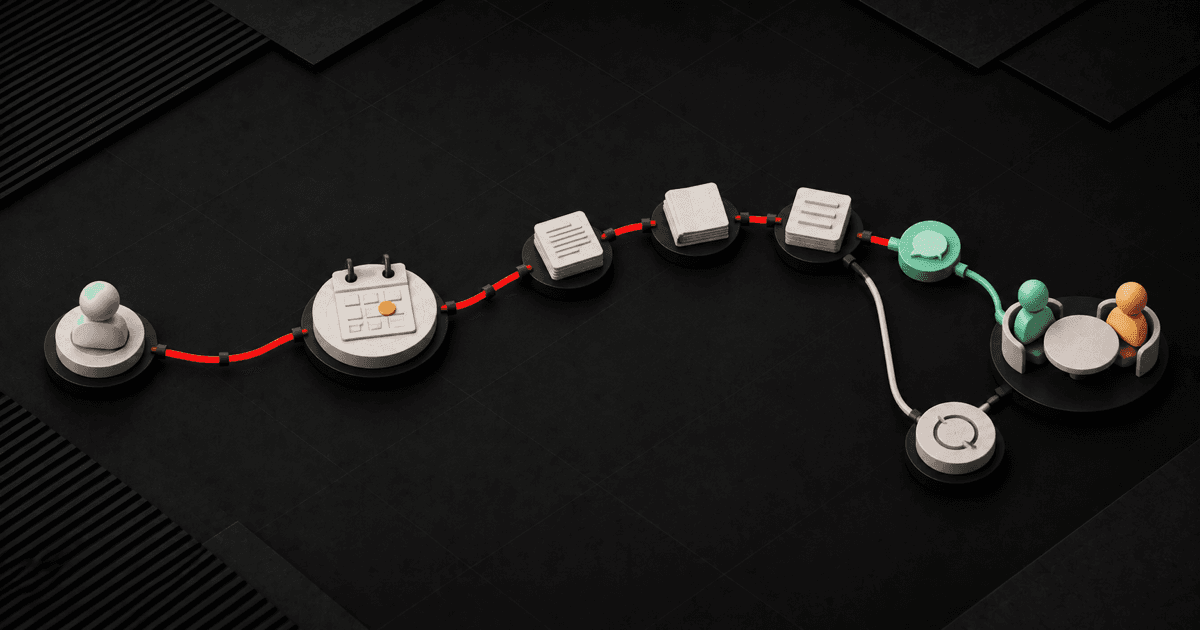
Long-term lead nurture for coaches and consultants works best when it begins with a truthful sentence: this person is interested, but the next decision does not belong today.
Do not translate that into “send a newsletter forever.” Record why now is wrong, set a real date when the decision becomes useful again, send only relevant value while the lead waits, and stop the timed path as soon as the person replies, books, asks for a human, or clearly closes the door.
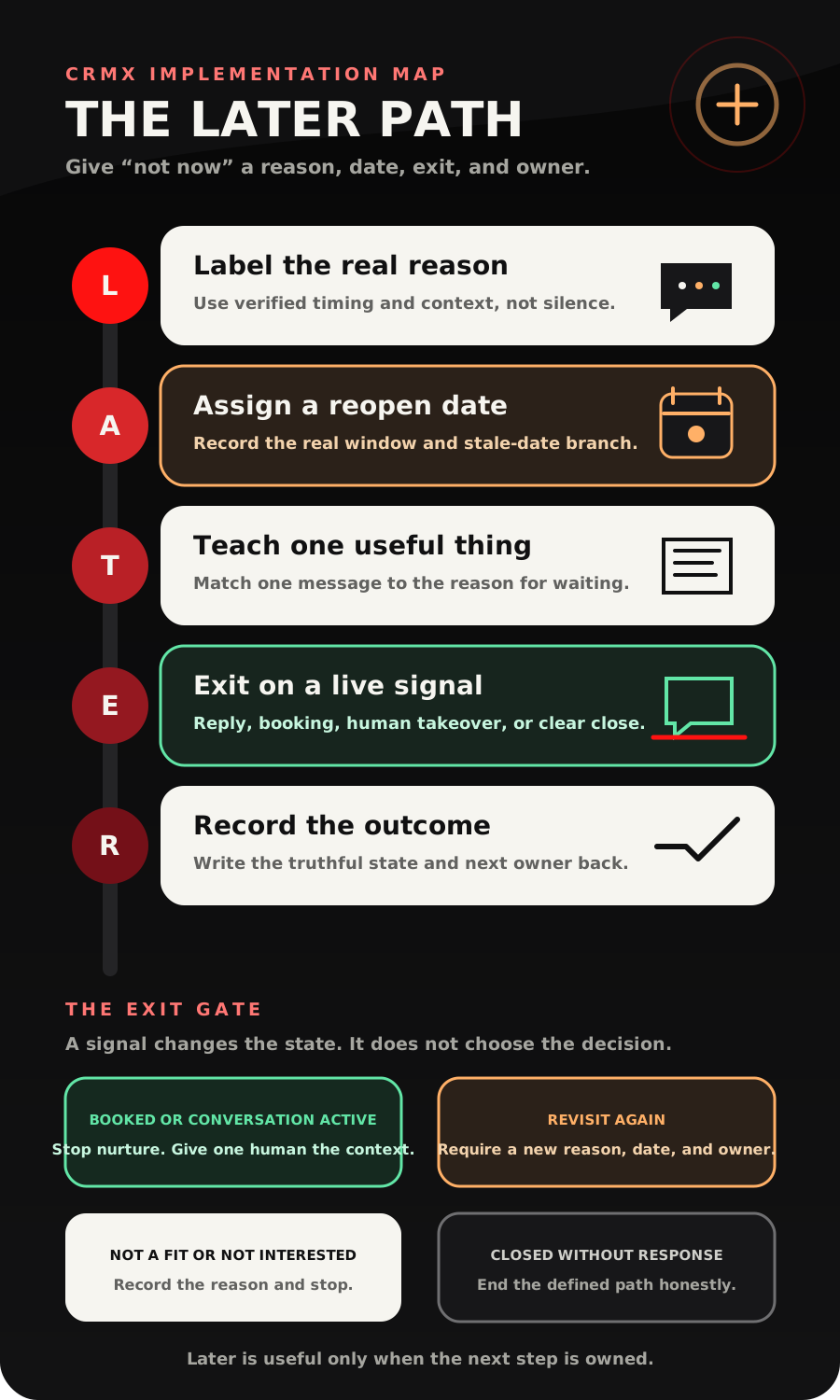
The CRMX LATER Path turns that tactic into five moves: Label the real reason, Assign a reopen date, Teach one useful thing, Exit on a live signal, Record the outcome.
Brent Attaway's Five Fortune Engines separates initial contact, appointment show-up, post-appointment follow-up, and long-term follow-up. That distinction matters. The short follow-up path should not keep running after the situation changes. Long-term nurture should keep the relationship useful without making the person feel like a target. The Automation Engine then makes a defined process consistent while people retain judgment.
The tactic: replace “check back later” with a dated state
“Not now” is not one condition.
A coaching prospect may be waiting for a new quarter, a hiring decision, a health milestone, a partner conversation, a budget window, or the completion of another program. A consultant's prospect may be waiting for board planning, a contract end date, a system migration, or an internal owner to be named.
Those are different reasons with different dates and different useful messages.
Use a long-term nurture path only when you can answer five questions:
- Why is the person not ready now?
- When does that reason become worth revisiting?
- What information would be genuinely useful before then?
- Which signals should end the timed sequence immediately?
- Who owns the next human conversation?
If the record cannot answer those questions, the lead is not ready for automation. It is ready for a short human clarification or an honest closed state.
The CRMX LATER Path
L - Label the real reason
Begin with the prospect's own context, not a label guessed from inactivity.
Use a small reason set that a person can verify:
- Timing known: The person named a real future window. Record the date and pause the short sales path.
- Decision depends on another person: A stakeholder or owner must act first. Record the stakeholder and agreed review point.
- Current priority must finish: Another project, program, or milestone comes first. Record the milestone and next useful topic.
- Fit needs clarification: The person is unsure whether the offer fits. Route to a human; do not invent a nurture reason.
- No decision context: Nobody knows why the lead paused. Close the short path or request one clarification.
Do not let an email open, link click, pipeline age, or silence decide the reason. Those can be observable signals, but they cannot explain a person's priorities.
Store the reason where it belongs. The current custom-field documentation distinguishes contact fields from opportunity fields. Use a contact field for durable person-level preferences. Use an opportunity field when the reason belongs to one specific coaching offer, consulting engagement, or deal.
A practical field set is:
- Long-Term Nurture State: Needs Review, Dated, Value Path Active, Human Conversation Active, Booked, Closed;
- Not-Now Reason: the verified reason category;
- Not-Now Detail: a short human-written summary;
- Reopen Date: the agreed date or decision window;
- Next Useful Topic: the one issue worth helping with;
- Decision Owner: the person responsible for the next conversation;
- Final Outcome: Booked, Human Follow-Up, Revisit Again, Not a Fit, No Longer Interested, or Closed Without Response.
These are recommended operating fields, not default CRMX fields.
A - Assign a reopen date
A date converts good intentions into an owned event.
The current Custom Date Reminder documentation says a workflow can start before, on, or after a selected date field. It also says the selectable date fields depend on the workflow type and that an empty date does not activate the trigger.
Use that behavior deliberately:
- record the date the prospect actually named;
- record who confirmed it;
- decide whether the workflow begins before or on that date;
- define what happens if the date is changed;
- send blank or stale dates to a human review queue;
- never turn “sometime next year” into a precise date without confirmation.
If the person gives only a window, store a conservative review date and keep the original language in the detail field. “Revisit in early November after budget planning” is better context than a bare November 1 date.
The current Wait action documentation also describes waits based on a dynamic date field, recurring schedules, a customer reply, a user reply, an appointment, an action, or defined conditions. It includes choices for a date that has already passed, such as continuing, exiting, or moving to another step.
Set that past-date behavior on purpose. A stale reopen date should not release a backlog of old messages.
T - Teach one useful thing
Long-term nurture should help with the reason the person is waiting.
One message should have one job:
- clarify one decision;
- share one short framework;
- provide one preparation step;
- answer one common process question;
- offer one low-friction way to restart the conversation.
Do not send a generic parade of testimonials, urgency, and offers because a timer reached Day 30. The message should make sense when read beside the stored not-now reason.
Use a simple three-touch value path only when the timing supports it:
- Confirm and pause: repeat the reason and the agreed review point.
- Useful bridge: share one resource that helps with the current obstacle.
- Reopen: return on the agreed date with one answerable next question.
Copy-ready pause confirmation
Hi [First name] - thank you for being clear about the timing. I’ll pause the sales follow-up and reach back around [reopen date] after [not-now context]. If the timing changes before then, reply here and we’ll pick it up from where we left off.
Copy-ready value touch
You mentioned [current priority] needs to happen before this becomes useful. I put together this short [resource or framework] to help you think through [specific decision]. No need to make a decision today. If it raises a question, reply here and [owner] will take it from there.
Copy-ready reopen message
Hi [First name] - when we last spoke, you wanted to revisit this around [date] after [not-now context]. Is that still the right timing, would a later date be more honest, or should I close the loop for now?
That last question creates three respectable outcomes. It does not force every lead into a booking link.
E - Exit on a live signal
The timed nurture path loses authority the moment a real person supplies new context.
The current Goal Event documentation says a workflow can move a contact to a defined goal when a selected event occurs. Documented goal types include actions such as a form submission, appointment status, payment, or a user reply. The documentation also says one workflow can contain one Goal Event action, although that goal can evaluate multiple criteria.
Use that limitation to design one clear exit gate rather than a collection of hidden jumps.
Useful exits include:
- the lead replies;
- a team member replies and takes ownership;
- the lead books the relevant calendar;
- the opportunity reaches a human-owned decision stage;
- the person opts out through the business's approved channel handling;
- the record is marked not a fit or closed.
The Customer Replied trigger can start a separate workflow from a contact reply and filter the event by items such as channel or the workflow being answered. Use that route to pause the nurture path, preserve the full message, assign the owner, notify the right person, and create the next task.
The Customer Booked Appointment trigger can start a workflow when a customer independently books through the selected calendar path. Use the verified booking event to end long-term nurture and hand the contact to the separate appointment-preparation system.
Guy may acknowledge a reply, collect the question, offer an approved booking path, or route a scheduling request. Guy should not decide whether the person is now qualified, change pricing or scope, interpret a sensitive personal situation, or promise that the engagement will solve the problem.
Explore how a bounded role works on the CRMX AI Employees page, then test every reply and handoff state before activation.
R - Record the outcome
A nurture system is incomplete when the last meaningful state is “message sent.”
Record the truth:
- Booked: the relevant appointment event occurred;
- Human Conversation Active: a reply created work for a named owner;
- Revisit Again: a new date and reason were confirmed;
- Not a Fit: a human recorded the reason;
- No Longer Interested: the person clearly closed the path;
- Closed Without Response: the defined path ended without a new signal.
The current Update Opportunity documentation says a workflow can update the existing opportunity in context, or an opportunity located by a Find Opportunity step. It warns that a non-opportunity trigger needs the correct opportunity lookup before the update.
That distinction protects coaches and consultants who may have more than one offer or engagement associated with the same person. A reply from one nurture path should not move a different opportunity.
Build the LATER workflow in CRMX
1. End the short path first
Define exactly which state ends the initial or post-call sequence. Remove the lead from conflicting reminders before long-term nurture begins. If a proposal is still active, finish the separate proposal follow-up decision path first.
2. Require a human-verified reason and date
Do not let silence auto-enroll every old lead. Require the not-now reason, reopen date, next useful topic, and decision owner.
3. Choose the correct data object
If the context belongs to one specific offer, use opportunity fields and preserve the correct opportunity reference. If it is a lasting person-level preference, use contact fields.
4. Create the date-driven entry
Use the verified Reopen Date with a Custom Date Reminder trigger, or use a dynamic-date Wait inside a tightly controlled path. Define the past-date branch and blank-date review process.
5. Add only the approved value touches
Write each message around a defined obstacle. Do not let AI invent customer stories, claims, guarantees, urgency, or private examples.
6. Build one live-signal exit gate
Choose the reply, user-reply, booking, and decision conditions that stop timed messages. If the workflow uses a Goal Event, remember that the documented action allows only one Goal Event per workflow.
7. Route the handoff
Send the full lead context to one named owner. A notification proves the alert was sent; it does not prove the person answered. Use an honest response checkpoint or task state.
8. Write the final state back
Update the intended opportunity or contact record, end the workflow, and pass booked contacts into the appropriate appointment path. Use CRMX pipelines, workflows, conversations, calendars, and reporting to keep the handoff visible.
Two concrete use cases
Business coach: wait until the team is hired
A prospect completes a discovery call, prepared through a focused discovery-call intake, but says a coaching engagement will not be useful until two key hires are in place.
The coach records:
- Not-Now Reason: Current Priority Must Finish;
- Not-Now Detail: Hire operations lead and sales coordinator first;
- Reopen Date: the agreed post-hiring review week;
- Next Useful Topic: first-30-day role scorecard;
- Decision Owner: the coach who held discovery.
The short proposal or sales-call sequence stops. One approved resource helps the prospect define the hires. On the agreed week, CRMX asks whether the timing is right, needs to move, or should close. A reply leaves automation and goes to the coach.
Leadership consultant: return after planning
A leadership team likes the consulting approach but will not choose an engagement until its annual planning session.
The consultant records the planning date, the additional decision-maker, the unresolved question, and a reopen date several business days after the meeting. A short preparation framework may be useful before planning. A pricing reminder is not.
If the prospect books a review call early, the booking event exits nurture. If the prospect replies with a scope question, the timed path pauses and the consultant owns the answer. If the planning date moves, the reopen date changes with it.
The LATER launch checklist
Before publishing the workflow, confirm:
- The short-term workflow has a defined exit into long-term nurture.
- Enrollment requires a human-verified not-now reason.
- The Reopen Date reflects the person's actual timing.
- Blank dates route to review and send nothing.
- Past dates follow a tested exception branch.
- The correct contact or opportunity object holds each field.
- The workflow cannot update an unrelated opportunity.
- Every message serves the stored reason or next useful topic.
- The sequence avoids invented urgency, results, stories, and claims.
- The business's approved channel, permission, and suppression rules are applied.
- A customer reply stops or bypasses timed messages.
- A team reply can prove human takeover where that proof is used.
- A verified booking ends nurture and starts the appointment path.
- Requests for a person route to a named owner.
- Guy's allowed answers and escalation boundaries are tested.
- Revisit Again requires a new date and reason.
- Not a Fit and No Longer Interested are real exit states.
- Closed Without Response ends the defined path.
- Test contacts cover reply, booking, stale date, blank date, and wrong-opportunity cases.
- A human reviews the workflow history before launch.
Measure state changes, not message volume
Track:
- records enrolled with a verified reason and date;
- records blocked because the date or owner is missing;
- replies that interrupt the timed path;
- bookings from the relevant calendar event;
- human handoffs waiting for a response;
- records that receive a new verified date;
- not-fit, not-interested, and closed-without-response outcomes;
- stale dates and wrong-opportunity exceptions.
Do not treat an open, click, message sent, or task created as a buying decision.
Frequently asked questions
How long should coaching lead nurture run?
Start from the person's real decision window, not a universal number of days. A dated path can end on the agreed review point. An ongoing educational path needs its own purpose, permission, cadence, and stop rules.
Should every “not now” lead enter long-term nurture?
No. Use it for leads with a verified reason, a useful future decision point, an approved communication path, and a named owner. Unknown, poor-fit, or clearly closed leads need a different state.
Can CRMX AI decide when the lead is ready?
It can observe defined events, acknowledge approved topics, ask bounded questions, and route conversations. Readiness, fit, scope, pricing, and sensitive judgment remain human-owned unless the business has defined and tested a narrow rule that genuinely supports the decision.
What should happen when a lead replies early?
Pause the timed path, preserve the full reply, assign the correct owner, and respond from the new context. Do not let the next scheduled nurture message compete with a live conversation.
Make “later” an owned next step
The opportunity is not to automate more touches. It is to turn a vague future into a truthful state with a useful date, a relevant message, an immediate exit, and a named owner.
That is how long-term nurture becomes part of the CRMX Revenue Flywheel instead of a forgotten drip campaign.
If your coaching or consulting pipeline is full of “check back later” notes, request a CRMX strategy demo and map the LATER Path before another future decision disappears.
Sources and further reading
- Official Support: Custom Date Reminder workflow trigger
- Official Support: Workflow Wait action
- Official Support: Goal Event workflow action
- Official Support: Customer Replied workflow trigger
- Official Support: Customer Booked Appointment workflow trigger
- Official Support: How to Use Custom Fields
- Official Support: Update Opportunity workflow action