
CRMX Workflows Can Now Issue Badges and Trigger Follow-Up
CRMX Workflows can now issue badges and trigger the next follow-up automatically. Learn how to build, test, and use the new recognition path.
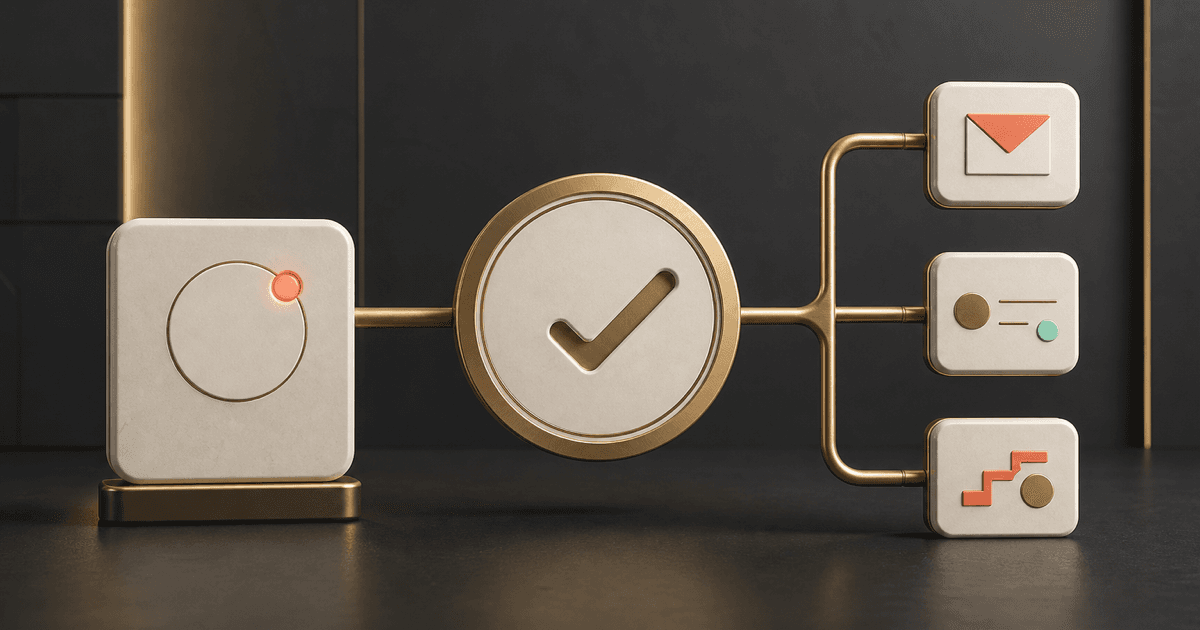
CRMX can now turn a badge into more than a nice piece of recognition. A Workflow can issue a selected badge when a verified milestone happens, and a second Workflow can begin the follow-up when that badge is awarded.
The official product release notice, published August 21, 2026, introduces two dedicated components: the Issue Badge action and the Badge Issued trigger. The same-day official badge-automation guide confirms how both work inside Workflows.
The release presents them as currently available. It lists no beta flag, Labs requirement, phased schedule, regional restriction, agency-only limitation, or plan restriction.
What changed in CRMX
CRMX Workflows now include:
- Issue Badge action: Add this action after the trigger, conditions, and filters that prove a milestone. When a contact reaches the action, CRMX awards the active badge selected in the action.
- Badge Issued trigger: Start a separate Workflow whenever a selected badge is awarded. That follow-up can send a message, update contact data, create a task, move a pipeline record, or begin another approved automation.
The trigger is not limited to badges awarded by the new action. Official help says it can respond when the selected badge is issued manually, through Issue Badge, or by another supported method.
Badge automation existed previously through the more general certificate action. This update gives badges their own clearly named action and their own trigger, making the recognition event easier to configure and use as a deliberate part of a customer journey.
What users can now do
The new components let a CRMX operator build a clean two-part path:
- recognize a verified achievement at the right moment;
- use the awarded badge as a reliable event for the next Workflow;
- send a timely acknowledgment without watching the milestone manually;
- update the contact record or assign a human-owned task;
- route the contact to a logical next stage, message, course, or conversation; and
- keep recognition logic separate from follow-up logic so each part can be tested.
The badge must already exist and be active before it appears in the Issue Badge action. The official badge-builder guide places badge creation under Memberships > Credentials > Create Badge inside the subaccount.
Why it matters operationally and financially
A milestone has little operational value when nobody notices it or owns what happens next. Before this update, a team could award or track recognition but still depend on a person to spot the event and continue the journey.
Dedicated badge automation can help operators:
- Reduce manual milestone watching: The Workflow can award the badge when verified conditions are met.
- Create consistent follow-up: A separate trigger can begin the approved response whenever that badge appears.
- Make ownership visible: The next action can create a task, update the record, or route the contact instead of leaving the achievement in a dashboard.
- Keep recognition timely: The customer can receive acknowledgment close to the action that earned it.
- Build clearer customer journeys: A badge becomes an event with a defined next step, not a decorative endpoint.
The potential financial value is in avoiding missed handoffs and unnecessary manual work. The release provides no measured savings, engagement lift, retention increase, conversion rate, or revenue result. A badge does not create an outcome by itself.
Who benefits most
This improvement is especially useful for:
- coaches and consultants with courses, assessments, communities, certifications, or milestone-based programs;
- home-service businesses with customer education, referral, loyalty, or membership journeys;
- teams that recognize completion, participation, referrals, onboarding steps, or approved custom achievements;
- operators who need one verified event to create a message, task, contact update, or next Workflow; and
- support and delivery teams that want recognition and follow-up to remain separate and diagnosable.
It is less useful when the business has no meaningful milestone to verify or when a tag, task, pipeline stage, or ordinary message already communicates the state more clearly than a badge would.
The CRMX Prove, Award, Advance method
The feature is simple. The operating discipline around it is what keeps a recognition journey accurate.
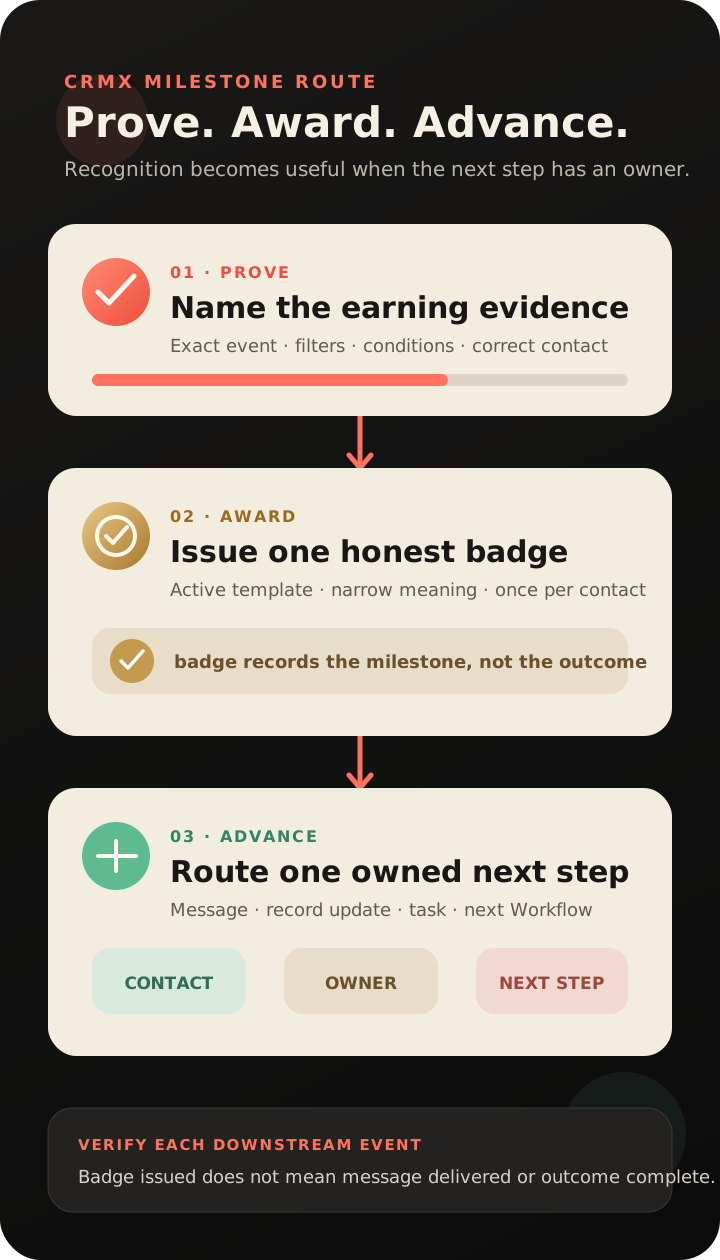
1. Prove the milestone
Start with an event you can name and verify: a completed course, approved quiz score, submitted referral form, recorded purchase, or specific custom-field update.
Define the evidence before building the badge. If the Workflow cannot distinguish “started” from “completed,” or “submitted” from “approved,” do not let a broad event award recognition the customer has not earned.
Use conditions and filters to protect the milestone. The official help guide specifically recommends them when a badge should require a score threshold or multiple completed activities.
2. Award one clear badge
Create and activate the badge under Memberships > Credentials. Then add Issue Badge to the Workflow that contains the milestone evidence and select that badge.
Keep the badge's meaning narrow. “Referral submitted” and “Referral became a customer” are not the same achievement. “Module completed” and “Program completed” are not the same either.
Official help says CRMX prevents the same badge from being issued twice to one contact. If a Workflow reaches Issue Badge after the contact already has that badge, the Workflow continues without creating a duplicate.
3. Advance one owned next step
Create a separate Workflow with Badge Issued as its trigger. Select the badge, then choose the one next action that matters most.
That may be a congratulatory message, a contact-field update, a task for the account manager, a pipeline movement, or another approved automation. Keep a human owner for replies, exceptions, or any action that requires judgment.
The badge proves that CRMX awarded a credential. It does not prove that the next message was delivered, a person replied, a task was completed, access was granted, or revenue changed. Verify each downstream event on its own terms.
Example 1: a home-service referral milestone
An HVAC company has a customer referral form. A maintenance-plan customer submits the first referral through the approved form, and the submission updates the contact's referral milestone field.
The first Workflow verifies the correct form and milestone value, then awards a First Referral badge. A second Workflow begins from Badge Issued, sends a simple thank-you message, and creates a task for the customer-care owner to review the referral and follow the company's approved recognition policy.
That badge does not mean the referred person booked, purchased, or became a customer. It recognizes the verified submission only. The referral's lead status, consent, appointment, and outcome still belong in the wider CRMX lead-to-customer system.
This can complement a post-job review request Workflow, but the two journeys should not be mixed. A review request and a referral recognition event have different evidence, timing, and owners.
Example 2: a coach or consultant learning milestone
A business consultant runs a client program with an assessment after the first module. A participant completes the module and reaches the approved score threshold.
The first Workflow checks the completion and score conditions, then issues the Foundation Complete badge. The Badge Issued Workflow sends a concise congratulatory email, updates the participant's milestone field, and creates the appropriate next-step task for the program team.
If the next step includes another course, group, offer, or appointment, configure and test that action separately. The badge recognizes the achievement; it does not automatically grant access unless the follow-up Workflow contains a supported, properly configured access action.
This fits inside the wider client onboarding journey, where access, expectations, milestones, communication, and human support remain separate but connected parts of delivery.
How to set up badge automation in CRMX
Use this controlled build sequence:
- Go to Memberships > Credentials in the CRMX subaccount.
- Create or select the badge that represents one clearly defined milestone.
- Preview the badge and set it to an active state.
- Open Workflows and create or select the Workflow that proves the milestone.
- Configure the trigger, filters, and conditions that establish the exact earning event.
- Add the Issue Badge action.
- Select the active badge from the action's dropdown.
- Save the Workflow, but keep it inactive until testing is ready.
- Create a separate Workflow using Badge Issued as the trigger.
- Select the same badge and add the approved next action or actions.
- Test the first Workflow with a controlled contact.
- Confirm the badge appears once under issued credentials.
- Confirm the second Workflow starts and every downstream action produces the expected record, task, or test message.
- Repeat the earning event and confirm CRMX does not create a duplicate badge for the same contact.
- Activate the Workflows only after the complete path passes.
The official credentials guide also confirms that issued badges appear in the Credentials dashboard and can be previewed, emailed, downloaded, or shared through supported options.
Limitations and rollout notes
Keep these boundaries visible:
- The badge must exist first. Only active badges configured in the account appear in Issue Badge.
- One badge is issued once per contact. Reaching the action again does not create a duplicate of that badge for the same contact.
- Use a separate follow-up Workflow. Official setup guidance uses Badge Issued as the trigger for the actions that happen after recognition.
- The trigger can respond to manual awards. It is not limited to the new Issue Badge action.
- A badge is not access. It does not by itself grant a course, community, offer, calendar, service, or other permission.
- A badge is not an outcome. It does not prove delivery, reply, attendance, purchase, service completion, qualification, retention, or revenue.
- Previously issued designs remain unchanged. Official badge-builder help says editing a badge later does not update already issued copies unless they are reissued.
- Sharing comes after issuance. Official credentials help says social sharing is available for issued credentials, not unissued templates.
- No restricted rollout is stated. As of August 21, 2026, the official release and help article list no beta, Labs, phased, regional, agency-only, or plan restriction.
Badge-automation verification checklist
Before building:
- Name the exact milestone and the evidence that proves it.
- Confirm the badge label does not overstate what happened.
- Decide who owns replies, exceptions, and failed follow-up.
- Choose one primary next action after recognition.
During testing:
- Use a controlled test contact.
- Prove the trigger, filters, and conditions are specific enough.
- Confirm the active badge appears in Issue Badge.
- Confirm the contact receives the badge once.
- Confirm Badge Issued starts the separate Workflow.
- Verify each message, task, field update, pipeline move, or next automation independently.
- Repeat the earning event and confirm no duplicate badge appears.
- Test the contact-facing email or credential view on desktop and mobile when it is part of the journey.
Before activation:
- Confirm the Workflow names identify the milestone and owner.
- Confirm stop conditions and error paths are clear.
- Confirm the badge does not imply access, payment, certification, or completion beyond the verified evidence.
- Keep a human route for disputes, missing credentials, incorrect contact data, or unexpected follow-up.
Where this fits in the CRMX lead-to-customer system
Badge automation is useful when recognition should create momentum after a verified event. It does not replace the contact record, workflow evidence, delivery system, pipeline truth, or human ownership around that event.
A CRMX AI employee can help explain the milestone, answer approved questions, or route a reply after the Badge Issued Workflow starts a conversation. It should not claim a person earned a badge, completed a course, qualified for an offer, or received access unless CRMX contains the verified event and the appropriate downstream state.
Use the CRMX platform to connect recognition with contact data, Workflows, communication, and customer-journey ownership without confusing the badge with the outcome.
Frequently asked questions
What is the new Issue Badge action in CRMX?
It is a dedicated Workflow action that awards a selected active badge when the Workflow reaches that step.
What does the Badge Issued trigger do?
It starts a Workflow when the selected badge is awarded. Official help says the award can be manual, come from Issue Badge, or use another supported issuance method.
Can one contact receive the same badge more than once?
No. Official help says CRMX prevents duplicate issuance of the same badge to one contact. The Workflow continues without creating another copy.
Do I need to create the badge before building the Workflow?
Yes. Create and activate the badge under Memberships > Credentials before selecting it in Issue Badge or Badge Issued.
Does awarding a badge grant course or community access?
No. Badge issuance is recognition. Any access change requires a separate supported action, correct configuration, and its own test.
Can a badge start an email or text follow-up?
Yes. Use Badge Issued in a separate Workflow and add the approved message action. Test delivery and reply ownership separately from the badge itself.
Is badge automation only for courses?
No. Official help lists course completions, purchases, form submissions, and custom-field updates as example events. Use it only when the selected event accurately proves the achievement your badge names.
Make recognition create one real next step
Choose one milestone your business can prove. Award one honest badge. Then use Badge Issued to create one owned next action and test the entire route with a controlled contact.
If you want help connecting Workflows, customer milestones, AI employees, and human ownership into one reliable customer journey, explore CRMX services.