
Expired CRMX Client Portal Links Now Recover with Email Codes
Expired CRMX Client Portal links on auth-v2 now route contacts to an emailed verification code instead of a dead end. Learn the scope and what to test.
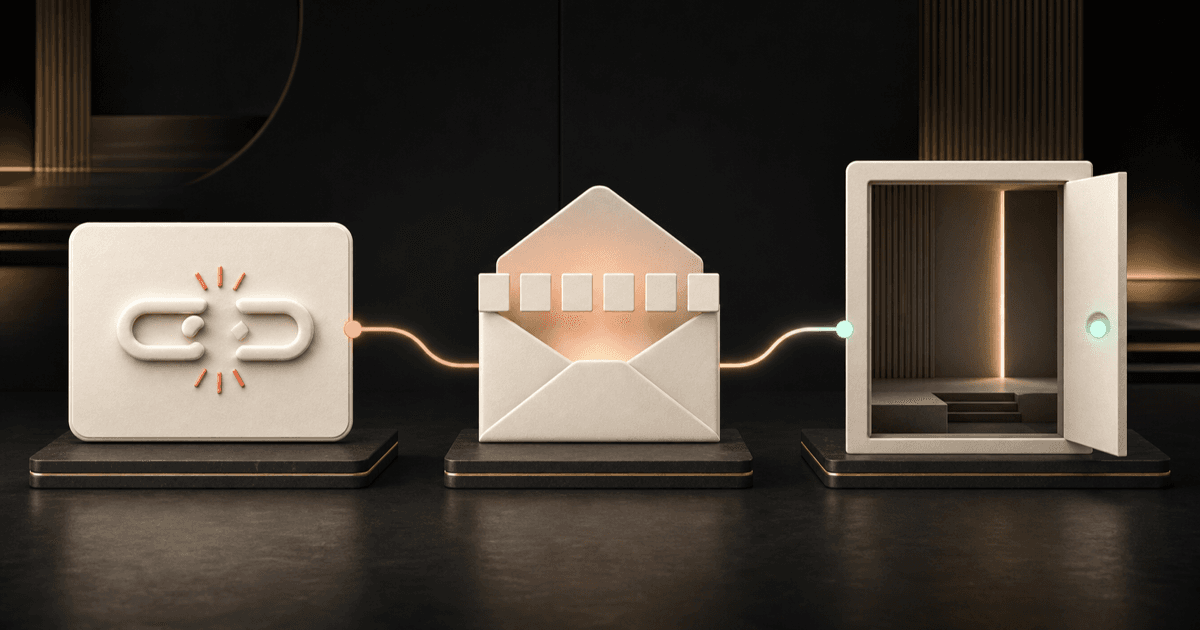
An expired CRMX Client Portal magic link no longer has to end the customer's journey. For qualifying links, CRMX now moves the contact to an email-code verification screen so they can complete login without waiting for your team to create and send another link.
The official product release notice, published August 14, 2026, presents the fallback as a current improvement. It lists no beta flag, Labs requirement, phased schedule, regional restriction, agency-only limitation, or plan restriction.
There is one important boundary: the release says the automatic fallback applies to Client Portal magic links using auth-v2. Do not promise the same experience for every older, legacy, or otherwise different link path until you test it.
What changed in CRMX
When a contact opens an expired qualifying Client Portal magic link, CRMX now:
- sends the contact to the OTP verification screen;
- automatically emails a one-time verification code to the address on the contact record;
- shows a masked version of that email address on the verification screen; and
- completes the portal login after the contact enters the code.
The release says no setup is required for the auth-v2 fallback.
Before this improvement, an expired link could require another access request or a newly generated link. The official Client Portal Dashboard guide confirms that dashboard-generated magic links are contact-specific, short-lived, and expire automatically. The newer release changes what a qualifying contact sees after that expiry.
Why it matters operationally and financially
Portal access often sits between a completed sale and the value the customer expected to receive. A customer may be trying to open a course, community, affiliate area, or another approved Client Portal destination.
The new fallback can help operators:
- Remove a preventable dead end: The customer receives a recovery path inside the expired-link experience.
- Reduce replacement-link work: A successful email-code flow may resolve the login without a team member generating another link.
- Keep onboarding moving: The customer has a clearer next action instead of leaving the portal to ask what happened.
- Protect delivered value: Easier recovery can help a paying customer reach content or resources they already have permission to use.
- Improve support diagnosis: The masked email gives the customer and support team a clue about where the code was sent without displaying the full address.
The value is reduced friction, not a promised result. The release provides no measured support savings, engagement lift, conversion rate, or revenue outcome. Email delivery, correct contact data, and the customer's existing portal permissions still matter.
Who benefits most
This improvement is especially useful for:
- coaches and consultants delivering programs, courses, communities, or client resources through the CRMX Client Portal;
- home-service companies using portal content to educate customers or support a membership experience;
- teams that send Client Portal access links in onboarding emails or workflows;
- support staff who regularly help customers with expired access links;
- customers who open an access email after its original link has expired.
It is less relevant when the business does not use Client Portal magic links or when the link is outside the release's auth-v2 scope.
The CRMX Send, Recover, Confirm method
The fallback is automatic, but your customer-access process still deserves a deliberate test.
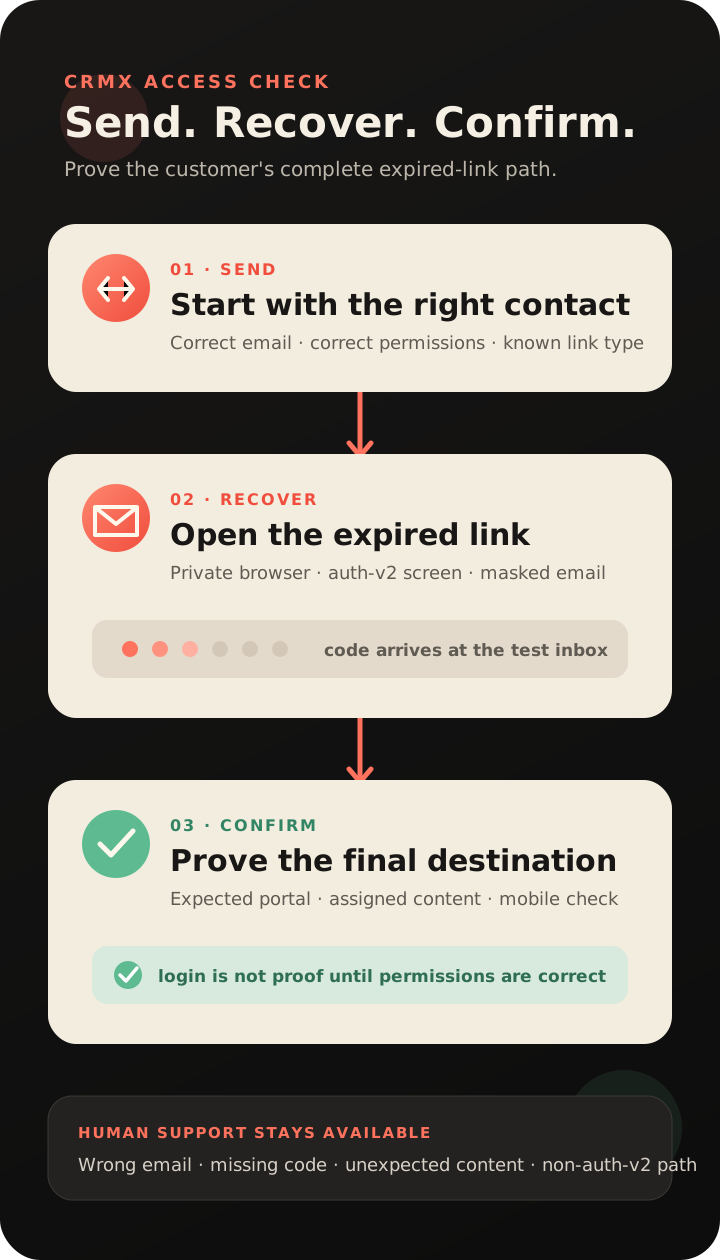
1. Send the correct link
Use a test contact with an email address you can access. Confirm the contact already has permission to the intended portal app, course, offer, product, or community group before generating or sending the link.
The official magic-link documentation separates authentication from content permission: a link can sign a contact in, but it does not grant course or group access by itself.
2. Recover through the expired path
Open the link after it expires in a private browser window. For a qualifying auth-v2 link, confirm that CRMX routes the contact to the verification screen and sends the code to the correct inbox.
Check that the masked email is recognizable to the intended contact. If the code does not arrive, inspect spam or filtered folders and verify the email address on the contact record before assuming the fallback failed.
3. Confirm the real destination
Enter the code and prove what happens next. The contact should reach the intended Client Portal experience and see only content already assigned to that contact.
Test in a private window rather than an agency-admin session. Official help warns that an administrator session can show more course content than an ordinary contact should see.
Example 1: a home-service customer education portal
An HVAC company gives maintenance-plan customers access to a short homeowner course covering filter schedules, thermostat basics, and when to request service. A customer opens the original access email after its link has expired.
With the new auth-v2 fallback, the customer is routed to email verification instead of a dead end. The company tests the complete path with a maintenance-plan test contact, confirms the code goes to the expected inbox, and proves the customer reaches only the assigned course.
The improvement does not enroll the contact in the plan, grant the course, update the customer record, or start a post-job review workflow. Those remain separate CRMX actions.
Example 2: a coach or consultant program member
A consultant sends program members a magic link to a Client Portal course and community. One member clicks the email the next morning, after the original link has expired.
The member follows the email-code recovery path, completes login, and returns to the assigned program experience. The consultant's team still checks that the contact has the correct course and community access and that the email address belongs to the intended member.
This fits inside the wider client onboarding journey: the access link is one handoff step, while welcome messages, kickoff tasks, content permissions, support ownership, and progress tracking remain distinct parts of the system.
How to test the new fallback in CRMX
Use this controlled sequence:
- Create or select a test contact with an inbox you control.
- Grant only the portal app and content access required for the test.
- Generate or send the Client Portal magic link through your normal approved path.
- Confirm the fresh link reaches the intended destination.
- Let the link expire according to that delivery path.
- Open the expired link in a private desktop browser.
- Confirm CRMX routes the contact to the email-code screen.
- Check the masked email and the real inbox receiving the code.
- Enter the code and confirm the correct portal destination and permissions.
- Repeat the expired-link check on a mobile browser.
- Record which link type was tested and whether it used auth-v2.
- Keep a human support route for contacts who cannot receive the code or reach the expected content.
Official course help currently documents different expiration windows for different delivery paths: emailed magic links can remain valid for 24 hours, while links generated directly under Memberships or Client Portal can expire after 15 minutes. Treat the help documentation and your real test as the authority for the link path you actually use.
Limitations and rollout notes
Keep these boundaries visible:
- Auth-v2 is required. The release does not say every legacy or non-auth-v2 Client Portal link receives the new fallback.
- Email access is required. The code goes to the email address associated with the contact.
- A masked email is only a clue. It does not correct a wrong, shared, outdated, or inaccessible address.
- Authentication is not authorization. Successful login does not grant a course, offer, product, group, or app the contact has not already been assigned.
- The release changes the expired-link path. It does not alter your onboarding workflow, permissions, content, notifications, pipeline, AI employee, or support process.
- Other recovery paths may still appear. Official help also documents a Send New Link option and manual regeneration for some expired-link paths.
- Administrator testing can mislead you. Use a real test contact and a private browser window to check the customer experience.
- No restricted rollout is stated. As of August 14, 2026, the official release lists no beta, Labs, phased, regional, agency-only, or plan limitation beyond auth-v2 scope.
Portal access verification checklist
Before sending access:
- Confirm the contact's email address is accurate and belongs to the intended person.
- Confirm the contact has the correct portal app and content permissions.
- Identify how the link is generated and how long that link type remains valid.
- Make the human support route easy to find.
When testing expiry:
- Use a real test contact rather than an administrator identity.
- Open the link in a private desktop browser.
- Confirm the auth-v2 email-code screen appears for the qualifying link.
- Confirm the masked email points to the correct inbox.
- Confirm the verification message arrives.
- Enter the code and verify the final portal destination.
- Confirm no unassigned content appears.
- Repeat the experience on mobile.
- Record the result and the exact link path tested.
Where this fits in the CRMX lead-to-customer system
The new fallback improves one access moment after a lead has become a customer or program member. It does not replace the system around that moment.
A complete customer path still needs accurate contact data, approved permissions, clear onboarding communication, owned support, and the right next step after login. If a CRMX AI employee helps with onboarding or support, it should explain the approved recovery steps and hand off email or permission problems rather than claiming it can see a code or change access it cannot control.
Use the CRMX platform to connect customer records, communication, workflows, and delivery without confusing a successful login with a successful customer outcome.
Frequently asked questions
Does every expired CRMX Client Portal link now use an email code?
The release specifically says the automatic fallback applies to Client Portal magic links using auth-v2. Test your actual link path before promising the experience.
Does the customer need a new magic link?
For a qualifying auth-v2 link, the release says the expired link automatically routes to email-code verification. Other documented link paths may still offer Send New Link or require another generated link.
Where is the verification code sent?
CRMX sends it to the contact's email address and shows a masked version of that address on the verification screen.
Does the fallback require setup?
The release says no setup is required for qualifying Client Portal magic-link authentication.
Does completing verification grant course or community access?
No. The contact must already have permission to the intended content. Authentication opens the portal; it does not create content authorization.
Should I test the link while logged in as an administrator?
No. Use a real test contact and a private browser window so administrator permissions do not distort what the customer can see.
Test the recovery path before a customer needs it
Start with one real Client Portal journey. Send the correct link, let it expire, complete the email-code flow, and confirm the customer reaches only the intended destination on desktop and mobile.
If you want help connecting portal access, customer onboarding, support ownership, AI employees, and follow-up into one reliable experience, explore CRMX services.