
CRMX Now Sends Smarter Notifications for Recurring Appointments
CRMX recurring bookings now send one series confirmation and reminders for every occurrence. Learn the behavior, limits, examples, and QA steps.
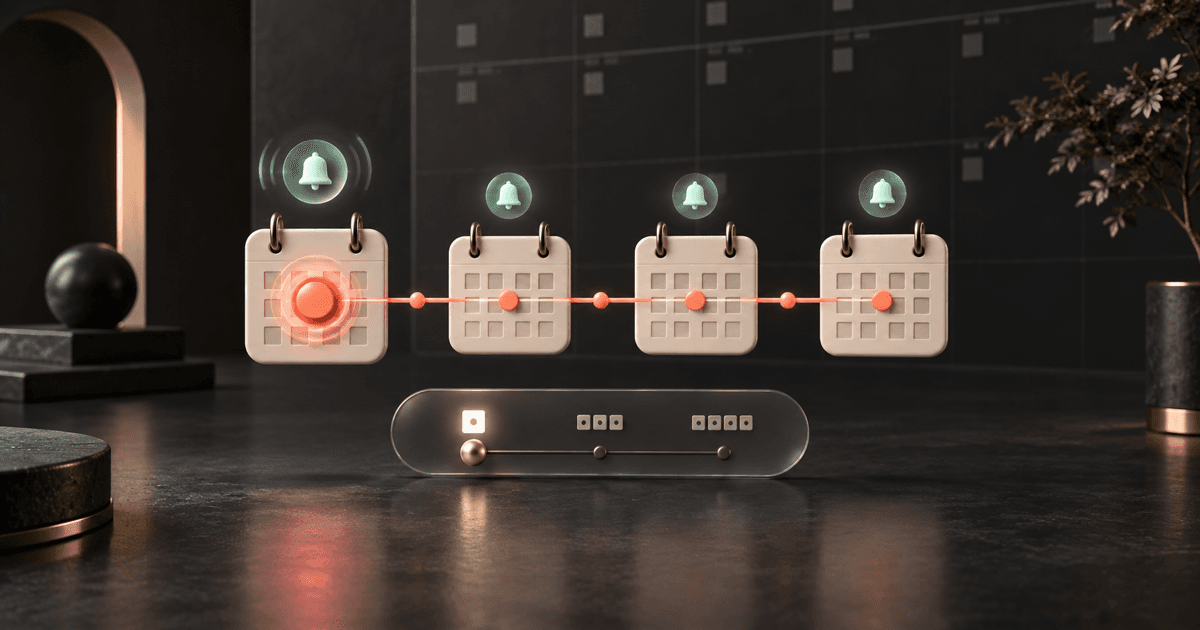
CRMX now handles notifications for recurring appointments more clearly: one confirmation can cover the whole booking, while reminders and follow-ups continue for each occurrence.
Custom recurring appointments created inside CRMX now receive the same core notification coverage. When someone reschedules or cancels part of a custom series, the message can follow the scope selected by the operator, such as one appointment or the whole series.
The change was announced in the official product changelog on October 6, 2026. The release says the enhancements are live automatically for newly booked appointments and appointments that are edited.
This matters because a recurring booking is one relationship spread across several dates. Too many confirmations create noise. Too few occurrence-level reminders create uncertainty. The new behavior gives operators a cleaner way to communicate the series without losing the follow-up around each session.
It does not change how Workflows behave.
What changed in CRMX recurring appointment notifications
The release improves five parts of the recurring-booking experience.
One confirmation can cover the whole series
For both calendar-configured recurrence and custom recurrence created in-app, the confirmation or unconfirmed notification now sends once per booking and covers the series.
Previously, default recurring appointments could send one confirmation for every occurrence. Custom recurring appointments created in-app could miss confirmation coverage entirely. The new pattern reduces the first problem and closes the second.
Every occurrence can still receive its own reminder and follow-up
The one-series confirmation does not replace occurrence-level communication.
Reminders and follow-ups continue to be scheduled for each appointment in the series. They now also apply to custom recurring appointments created in-app.
That distinction is the heart of the update:
- Confirmation: one message that establishes the series.
- Reminder: a message tied to each upcoming occurrence.
- Follow-up: a message tied to each completed occurrence.
The result is a cleaner rhythm. The customer understands the full commitment at booking, then receives the timely context needed for each individual appointment.
Custom-series changes can follow the selected scope
When an operator edits a custom recurring series, CRMX can apply the notification according to the selected change scope.
- This appointment sends a notification for that one appointment.
- All appointments sends one notification for the whole series.
- This and following sends one notification when those future appointments are rescheduled.
Calendar-configured recurring appointments keep their existing behavior: reschedule and cancellation notifications remain specific to the affected appointment.
There is one important limitation. The current Recurring Appointments help article says canceling This and following on a custom recurring appointment does not currently send a cancellation notification. Build a human check around that path until the limitation changes.
Notifications can show the recurrence pattern
For custom recurrences, the appointment date-and-time custom value can include the pattern alongside the specific date. That gives a recipient more context when a series is changed.
For example, the message can make it clear that the appointment occurs every Thursday instead of showing only one Thursday's date.
To use that behavior, the official release says the notification template should include the appointment date-and-time custom value. Review the rendered message before enabling it because a correct merge field still needs clear surrounding copy.
No new release toggle is required
The changelog says the enhanced behavior is live automatically for newly booked appointments and appointments that are edited.
You still control the actual notification content, recipients, channels, and timing in the calendar's Notifications settings. The current calendar notification guide documents confirmation, cancellation, reschedule, reminder, and follow-up messages, along with recipient and channel choices.
Automatic availability does not mean every existing template is ready. The release changes the delivery behavior; your team still owns the message.
Why this matters operationally
Recurring work creates a deceptively complicated communication problem.
A single booking may represent six coaching sessions, four maintenance visits, or a monthly advisory meeting for the rest of the quarter. The customer needs to know that the series exists, what happens next, and when each appointment is approaching. The operator needs to know which part of the series changed and who owns any reply or exception.
The new behavior helps separate three jobs:
- Establish the commitment. One confirmation summarizes the recurring booking.
- Protect each occurrence. Individual reminders and follow-ups keep each date visible.
- Explain a change. Scoped reschedule or cancellation messages tell the recipient whether one date or the series moved.
That can reduce duplicate confirmation noise and make recurring service easier to manage. It may also help a team preserve appointment context before a customer calls, replies, or misses a session.
Do not turn those operational benefits into a revenue promise. A notification does not prove delivery, attendance, completion, or conversion. It gives the business a clearer system to test and operate.
Use the CRMX SERIES Check
Use the CRMX SERIES Check to configure and verify one recurring journey from the first confirmation through the last follow-up.
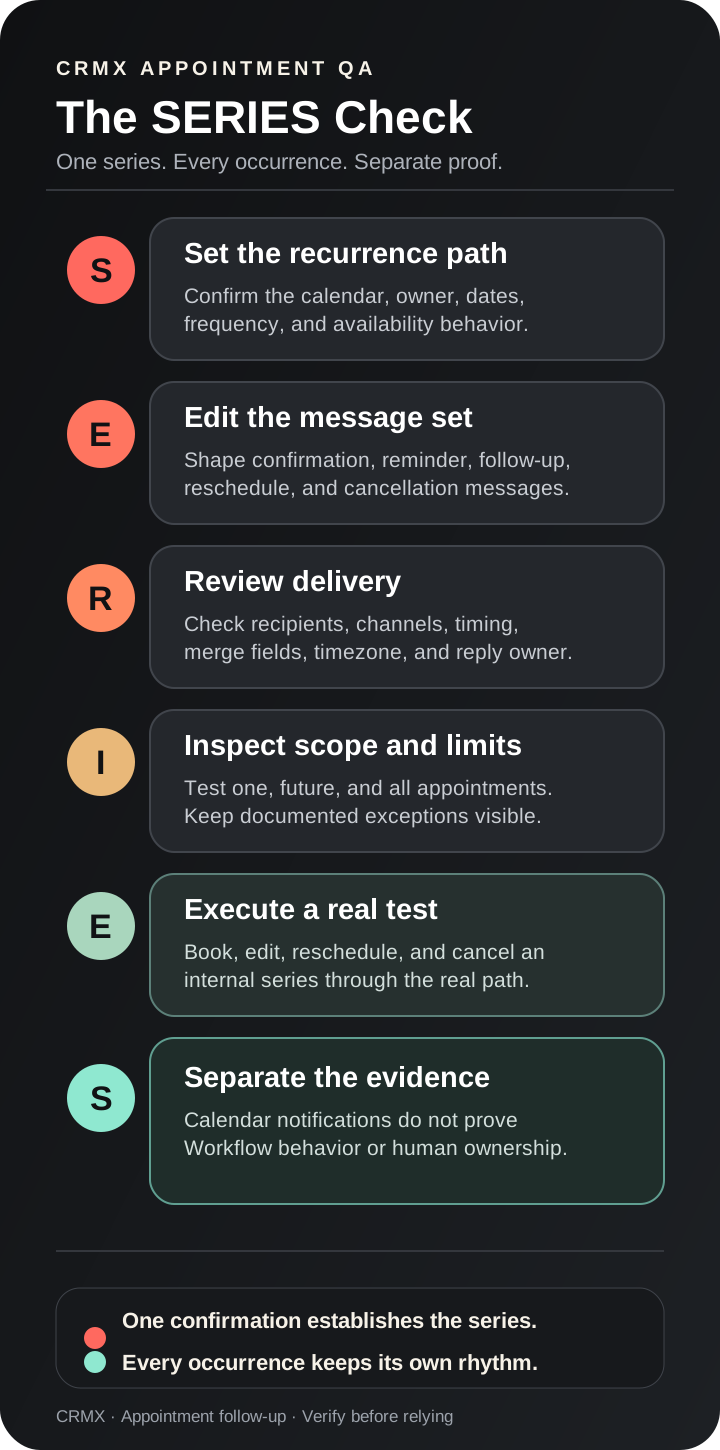
1. Set the recurrence path
Start by identifying how the series is created.
A calendar-configured recurrence uses the rules saved in the calendar. A custom recurrence is created from the Custom Date & Time area in the in-app appointment modal and can override the calendar's usual recurrence and availability behavior.
Confirm the calendar, assigned team member, contact, meeting location, frequency, number of occurrences, and end condition. The official help documentation says configured recurrence supports a maximum of 24 occurrences.
Custom recurrence needs extra care because it can ignore availability and create overlapping bookings. Treat the created series as a scheduling record, not proof that every date is operationally conflict-free.
2. Edit the complete message set
Review the confirmation, unconfirmed, reminder, follow-up, reschedule, and cancellation messages that matter for this calendar.
Each message should answer the question appropriate to its moment:
- What was booked?
- Is this one appointment or a series?
- Which date is next?
- What should the recipient prepare?
- How can the recipient reschedule or cancel?
- Who receives a reply?
- What happens after the appointment?
Avoid stuffing the full series explanation into every reminder. The confirmation establishes the commitment; occurrence messages should make the next action obvious.
3. Review recipients, channels, and timing
Check the configuration at the calendar level.
Verify who should receive each notification: the contact, guest, assigned user, or an additional internal recipient. Then review the enabled channels and the reminder or follow-up timing.
If the template uses the appointment date-and-time custom value, send a test and confirm that the recurring pattern appears as intended. Also verify the sender identity, reply route, links, and timezone.
The goal is not to enable every channel. It is to make the important message reach the right person at the right point in the series.
4. Inspect every change scope and limitation
Create a small test series and inspect how CRMX presents each change option.
Test one appointment, all appointments, and this-and-following where those choices appear. Confirm what changes on the calendar and what the recipient receives.
Keep the documented limitations visible:
- canceling This and following for a custom recurring appointment currently sends no cancellation notification;
- only the first custom recurring appointment currently appears in the Appointment List, Contacts, and Conversations views named by the official help article;
- only the first custom recurring occurrence currently triggers Workflows;
- Service and Class calendars do not support the custom recurring-appointment path described here;
- one meeting link is generated for the entire series;
- custom recurrence can ignore calendar availability;
- Outlook edits do not sync back to CRMX in the documented scenario.
These are operating boundaries, not footnotes. Each one can change what the customer or team believes happened.
5. Execute a real internal series test
Do not stop after using a message preview.
Book a short internal series through the actual path your team will use. Then verify:
- one confirmation describes the series;
- every occurrence receives its expected reminder;
- every occurrence has the intended follow-up;
- the recurrence text renders correctly;
- a one-appointment reschedule produces the expected notification;
- an all-appointments change produces one series-level notification;
- a custom This and following reschedule behaves as documented;
- the known cancellation gap is covered by a human procedure;
- replies reach the correct conversation and owner;
- the customer-facing dates, timezone, meeting link, and instructions are accurate.
Record the calendar, test contact, series dates, message channel, result, and any limitation your team must manage.
6. Separate notifications from Workflows
The official release is explicit: these changes apply to calendar notifications, and Workflows are not affected.
That means a successful recurring reminder does not prove that an automation enrolled for every occurrence. The help article currently says only the first custom recurring appointment triggers Workflows.
If a Workflow, human task, or CRMX AI employee depends on each occurrence, define and test that responsibility separately. Do not infer repeated enrollment from a repeated calendar reminder.
Example 1: a home-service maintenance plan
An HVAC company books a four-visit maintenance plan for one homeowner.
The customer receives one confirmation that establishes the series. Each visit then receives its own reminder with the next date, arrival expectations, and the correct reschedule path. After each completed visit, the calendar follow-up can provide the appropriate service summary or next-step instructions.
Before relying on the series, the office uses the SERIES Check to test one reschedule and one cancellation.
The test reveals two important operating decisions:
- a reminder reply must reach the service coordinator, not a shared inbox nobody owns;
- canceling the current and future custom appointments needs a manual customer message because that path does not currently send a cancellation notification.
The release improves the communication rhythm, but the business still owns exceptions and reply handling.
For non-recurring service reminders, see the CRMX ARRIVE Plan for home-service appointments. If a customer misses a consultation-style visit, route the exception into a defined no-show recovery workflow instead of sending endless reminders.
Example 2: a coach or consultant engagement
A business consultant books six weekly implementation sessions with a client.
The series confirmation establishes all six sessions and the shared meeting link. Each occurrence receives its own reminder with that week's preparation prompt. The post-session follow-up summarizes the agreed next step and the owner of the next commitment.
During week three, the client needs to move the remaining sessions. The consultant selects This and following for a reschedule. CRMX sends one notification for the scoped change, and the team verifies the updated dates in the series.
The consultant does not assume that the reschedule enrolled the client in a fresh Workflow for every moved occurrence. Calendar notifications and Workflow behavior remain separate. If an AI employee supports the engagement, it should receive verified context through a deliberately tested handoff rather than guessing from the recurring booking alone.
That distinction protects the relationship. The appointment system communicates the schedule; the operating system assigns ownership, records decisions, and keeps follow-up moving through the CRMX Revenue Flywheel.
How to use the update inside CRMX
Use this implementation sequence for one recurring calendar at a time:
- Open Calendars → Calendar Settings in the correct CRMX subaccount.
- Select the calendar used for the recurring appointment.
- Review its recurrence settings and confirm whether the real booking path uses calendar-configured or custom recurrence.
- Open Notifications and review the enabled confirmation, reminder, follow-up, reschedule, and cancellation messages.
- Confirm recipients, channels, timing, sender identity, reply ownership, links, and timezone.
- Add or verify the appointment date-and-time custom value when the recurrence pattern should appear.
- Save each notification configuration.
- Create a short internal series through the real booking path.
- Inspect the confirmation, every occurrence-level reminder, and at least one follow-up.
- Reschedule one occurrence, then reschedule this-and-following on a separate custom test series.
- Test cancellation behavior and document the known custom-series limitation.
- Review Workflows separately. Confirm the actual enrollment evidence instead of assuming every occurrence triggered automation.
If the calendar has several owners or appointment types, start with the most common path. Expand only after the first series has passed.
Where CRMX AI employees fit
This update does not give an AI employee new authority and does not change Workflow enrollment.
It can still improve the system around an AI employee when the relationship is designed carefully. A trained appointment coordinator may answer a customer question, help route a reschedule request, or alert a human about an exception. It needs accurate series context, clear escalation rules, and a named owner for anything outside its authority.
Use the recurring appointment as verified scheduling context, not as permission for the AI employee to change every occurrence. Confirm whether the request applies to one date, future dates, or the whole series before taking action.
Explore the broader CRMX platform for the calendar, conversation, automation, and handoff systems that support that role.
Recurring appointment notification QA checklist
Before relying on a recurring notification path, confirm:
- The correct CRMX subaccount and calendar are open.
- The recurrence path is identified as calendar-configured or custom.
- The assigned user, meeting location, frequency, occurrence count, and end condition are correct.
- Custom recurrence does not create an unnoticed availability conflict.
- Confirmation or unconfirmed messaging describes the whole series.
- Reminder and follow-up timing is correct for every occurrence.
- Recipients, channels, sender identity, and reply ownership are correct.
- The appointment date-and-time custom value renders the intended recurrence context.
- One-appointment, all-appointments, and this-and-following changes were tested where applicable.
- The
This and followingcustom cancellation gap has a human procedure. - The shared meeting link works for the series.
- Dates and times render correctly in the customer's timezone.
- Workflows were inspected separately from calendar notifications.
- The first and later occurrences were checked in the places the team actually works.
- A real internal booking passed on desktop and mobile.
- The test contact, dates, messages, evidence, and owner were recorded.
Frequently asked questions
Does CRMX send one confirmation or one confirmation per recurring appointment?
The new behavior sends the confirmation or unconfirmed notification once per recurring booking, covering the whole series. Reminders and follow-ups remain scheduled for each occurrence.
Do custom recurring appointments receive notifications now?
Yes. The release says custom recurring appointments created in-app now receive confirmation or unconfirmed, reminder, follow-up, reschedule, and cancellation notification coverage according to the documented scope rules and limitations.
Do I need to turn on the new behavior?
The release says no setup is required for the enhancement itself. You should still review the calendar's notification content, recipients, channels, timing, and custom values before relying on it.
Does this update change CRMX Workflows?
No. The official release says the changes apply to calendar notifications only. The current help article says only the first custom recurring appointment in a series triggers Workflows.
Will canceling this and future custom appointments send a cancellation message?
Not currently. The official help article identifies cancellation for This and following as a technical limitation. Use a documented human message or another separately verified path.
Does a custom recurring appointment respect calendar availability?
Not necessarily. The official help documentation says custom recurrence overrides default rules and availability checks. Review every generated date for conflicts.
What to do next
Choose one recurring calendar with real customer volume and run the SERIES Check before the next booking.
Prove the one-series confirmation, every occurrence-level reminder, one scoped reschedule, the known cancellation gap, and the separate Workflow behavior. Then document who owns replies and exceptions.
That is how a product improvement becomes a dependable appointment follow-up system.
To connect scheduling, reminders, replies, no-show recovery, and human or AI ownership across the full customer journey, explore the CRMX Revenue Flywheel or request a live CRMX strategy demo.