
CRMX Can Now Unpublish One Funnel or Website Page
CRMX can now take one funnel or website page offline without disconnecting the domain. Learn how redirects work and what to verify.
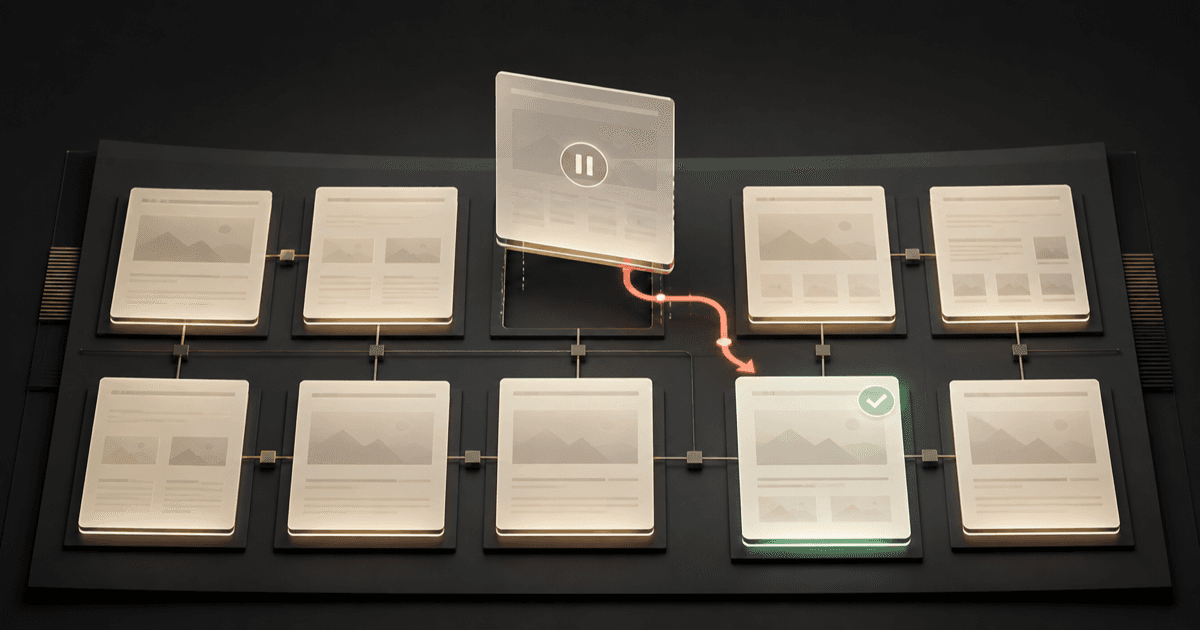
CRMX can now take one Website or Funnel page offline while every other published page and the connected domain stay active. You can keep the page for later, decide where its old visitors should go, and bring it back when it is useful again.
The official product release notice, published August 6, 2026, presents Single Page Unpublish as a current release. It lists no beta flag, Labs requirement, phased schedule, regional restriction, agency-only limitation, or plan restriction.
That makes a small page-management action much safer. An expired promotion, old event page, retired service, or temporary campaign no longer requires deleting the page, disguising its URL, or disconnecting the domain that serves the rest of the site.
What changed in CRMX
Each page inside a CRMX Website or Funnel can now have its own published state.
From the page's Options menu, you can:
- unpublish a live page without taking the rest of the site offline;
- choose a standard 404 page, another page in the same Website or Funnel, or a custom external URL for old traffic;
- edit that redirect destination later while the original page stays unpublished;
- republish the saved page when it should return;
- see whether the page is Live or Unpublished, its live URL, and who last changed the status.
The same page-management actions are also available in the page builder's side panel. The menu changes with the page's state, so a live page offers Unpublish, while an unpublished page offers Publish and Edit Redirect Link.
The rest of the connected domain remains intact. According to the release, unpublishing one page does not disconnect the domain or disturb its SSL certificate or DNS settings.
Why this matters operationally and financially
Old pages rarely disappear from every traffic source at once. A seasonal offer may still have links in an email, ad, QR code, social post, bookmark, text message, or search result.
Single-page unpublishing gives the operator a controlled way to handle that traffic:
- Reduce stale-offer confusion: Visitors do not keep landing on a promotion, date, service, or promise that is no longer current.
- Protect the rest of the site: One page can come down without interrupting the homepage, other campaigns, forms, or the domain itself.
- Keep work reusable: The page remains editable and can be republished rather than rebuilt from scratch.
- Give old traffic a deliberate next step: A relevant replacement page can continue the visitor's journey when one exists.
- Make ownership visible: The page status and last change are easier for a multi-person team to verify.
The financial value is risk reduction, not a promised lift. A correct destination can keep paid or earned traffic from reaching expired information. A poor redirect can still confuse visitors, and the release does not guarantee rankings, conversions, bookings, or revenue.
Who benefits most
This update is especially useful for:
- home-service businesses rotating seasonal offers, rebate pages, service-area pages, or emergency campaigns;
- coaches and consultants launching workshops, cohorts, applications, events, or limited enrollment pages;
- teams managing several pages on one connected domain;
- marketers who need to pause a page while preserving its design and history;
- operators who want a clearer, reversible alternative to deletion.
It matters less for a page that has never been published or a URL with no prior visitors, links, campaign traffic, or operational dependencies. Even then, the per-page status can still make the publishing workflow easier to understand.
The CRMX Pause, Point, Prove method
Do not treat Unpublish as the entire job. The safe operating process has three stages.
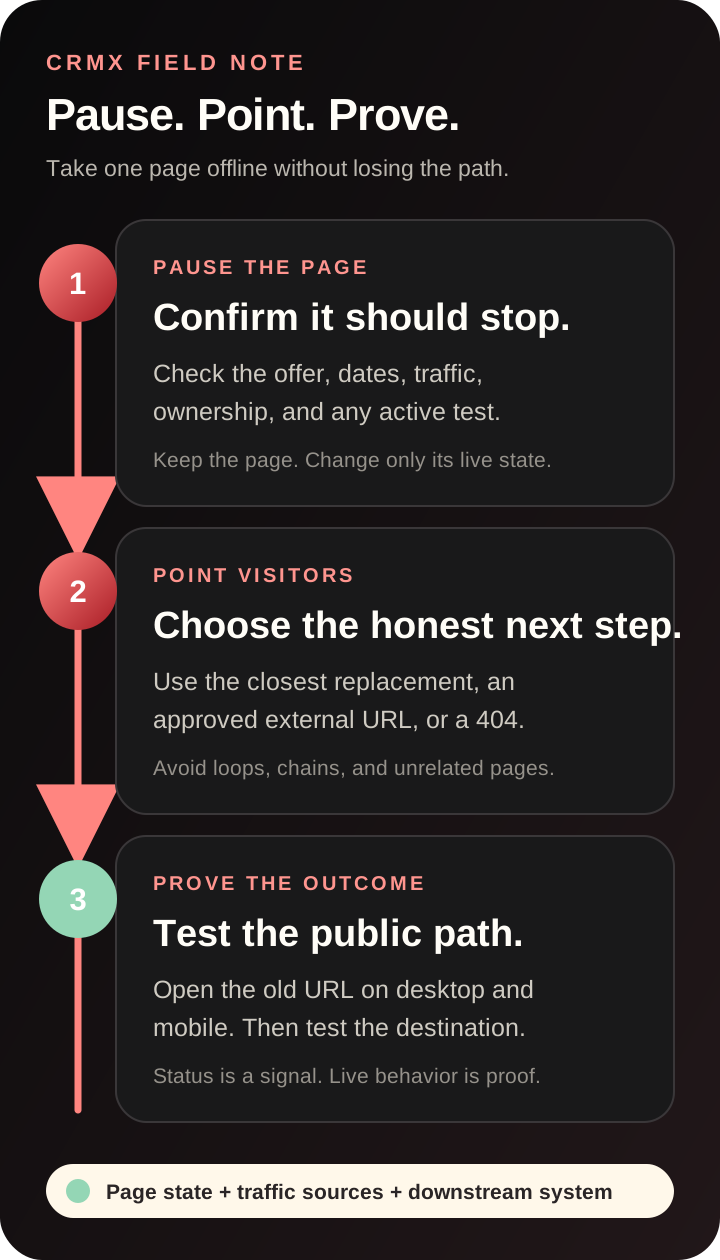
1. Pause the page
Confirm that the page really should stop serving visitors. Check its offer, dates, inventory, service availability, team ownership, and active campaigns before changing the state.
If an A/B test is active, the release says unpublishing stops that test but preserves its historic metrics and statistics. Record the test state before the change so the old result is not confused with a future relaunch.
2. Point visitors somewhere honest
Choose the destination that best matches the visitor's original intent:
- Another page in the same Website or Funnel: Use this when a current page genuinely replaces the old one.
- A custom external URL: Use this when the correct next step lives on another approved site or system.
- The standard 404 page: Use this when no honest substitute exists and redirecting elsewhere would be misleading.
The separate official redirect guide recommends sending an old path directly to its final destination, avoiding redirect chains, checking for loops, and testing the result. The August 6 release does not specify the HTTP status code used by the new embedded unpublish redirect, so this article does not label that in-flow redirect as a 301.
3. Prove the complete change
Open the old URL in a private browser window and confirm the visitor receives exactly the outcome you selected. Then test the destination, the remaining site pages, and every important path that used to depend on the page.
The status badge proves what CRMX believes. The live browser proves what a visitor receives.
Example 1: pause a home-service seasonal offer
An HVAC company has a spring tune-up page linked from paid ads, an email campaign, and several QR codes. The offer ends, but the company still provides normal maintenance appointments.
The operator uses this process:
- Pause the ads and scheduled messages that explicitly promise the expired offer.
- Unpublish only the spring promotion page in CRMX.
- Redirect its old URL to the current maintenance-service page, not the homepage.
- Test the old link from a phone and desktop browser.
- Confirm the replacement page's form, calendar, and estimate follow-up workflow still match the current service.
- Keep the seasonal page saved for review before next spring.
The page action protects the Website. The campaign and follow-up checks protect the customer journey.
Example 2: retire a coach or consultant event page
A consultant has a registration page for a live workshop that has already happened. A replay is available on a different page, while a future workshop is not yet open.
The consultant unpublishes the expired registration page and points its traffic to the replay only if that replay serves the same audience and expectation. If it does not, the standard 404 is more honest than an unrelated redirect.
The team then updates calendar links, email sequences, social profiles, and any lead-magnet funnel that still references the old event. If a CRMX AI employee has been trained to offer the workshop, its approved knowledge and routing also need a separate update.
Unpublishing the page does not automatically rewrite the rest of the system.
How to unpublish one page in CRMX
Use this sequence for a Website or Funnel page:
- Open Sites in CRMX.
- Choose the relevant Website or Funnel.
- Find the page in the page list.
- Open its Options menu.
- Select Unpublish.
- Choose the standard 404, another page in that Website or Funnel, or a custom external URL.
- Confirm the action.
- Verify the page now displays an Unpublished status.
- Open the former live URL and test the visitor outcome.
You can also use the page menu inside the builder's side panel. If the page should return later, open its menu and choose Publish. The official publishing guide explains the underlying draft, live-version, and domain-attachment behavior that supports page publishing.
Choose the right redirect outcome
Use this decision guide before confirming the change:
- A current page directly replaces the old page: Choose that page in the same Website or Funnel. It preserves intent with the closest active destination.
- The exact replacement lives on another approved domain: Choose the custom external URL. It sends visitors to the true destination without creating a false local substitute.
- The offer, service, or event has no current equivalent: Choose the standard 404. It avoids pretending an unrelated page answers the visitor's request.
- The page may return, but traffic needs a temporary destination: Choose the closest current page, then record an owner and review date. That keeps the pause reversible without leaving the redirect unmanaged.
Do not redirect every retired page to the homepage by default. A redirect should answer the visitor's likely question, not merely keep them somewhere on the site.
Limitations and rollout notes
Keep these boundaries in view:
- Unpublishing is page-specific. It does not turn off ads, emails, QR codes, workflows, calendars, forms, automations, or external links that promoted the page.
- Redirect behavior needs live testing. The release offers destination choices but does not guarantee that your chosen page, external URL, or downstream action is correct.
- The embedded redirect's HTTP status is not stated. Use the separate CRMX URL Redirects area when your SEO plan requires a specifically verified 301 configuration.
- No redirect means 404. The release says the standard 404 is the fallback when no destination is provided.
- A/B testing stops. Historic metrics remain, but an active test ends when the page is unpublished.
- Internal destination menus change. Unpublished pages are removed from the available page choices for button and image navigation.
- The domain stays connected. SSL and DNS are not disrupted by this page-level action.
- The page stays editable. It can be changed and republished later.
- The release states immediate effect. Still verify the public URL rather than relying only on the builder status.
- No restricted rollout is stated. The official notice lists no beta, Labs, phased, regional, agency-only, or plan limitation as of August 7, 2026.
Page-unpublish verification checklist
Before unpublishing:
- Confirm the reason the page must come down.
- Identify ads, emails, texts, QR codes, social posts, navigation, and external links that send traffic to it.
- Decide whether a true replacement exists.
- Check for an active A/B test and record its state.
- Confirm that the chosen destination is live, relevant, and approved.
- Name the owner and review date if the page may return.
After unpublishing:
- Confirm the Unpublished status in CRMX.
- Test the old URL in a private desktop browser.
- Test it again on mobile.
- Confirm the redirect does not loop or add unnecessary hops.
- Test the destination's primary form, calendar, checkout, or contact action.
- Confirm other pages on the connected domain still load.
- Remove or update stale links and campaign promises.
- Reconcile reporting so old and new destinations are not mistaken for one page.
For the broader page system, read How to Build an AI-First Website That Converts Leads.
Where this fits in the CRMX lead-to-customer system
Single-page unpublishing controls what happens before a visitor enters the system. It does not automatically change the form, contact record, calendar, workflow, pipeline, AI employee, or reporting behind that page.
That distinction matters. If an unpublished page was the only entry point into a workflow, the workflow may still exist while receiving no new leads. If a CRMX AI employee still offers the retired promotion, its knowledge can be wrong even though the page is gone.
Use the page state to control availability. Use the wider CRMX platform to inspect and update the complete lead-to-customer path.
Frequently asked questions
Does unpublishing one page take down my whole CRMX Website or Funnel?
No. The release states that other published pages remain active and the connected domain stays in place.
Can I redirect the old page URL?
Yes. The unpublish flow offers another page in the same Website or Funnel, a custom external URL, or the standard 404 experience.
Is the new unpublish redirect a 301?
The release does not state its HTTP response code. Do not assume it is a 301. CRMX also has a separate URL Redirects area for explicitly configured 301 redirects.
Can I change the redirect without republishing the page?
Yes. Use Edit Redirect Link while the page remains unpublished.
What happens to an A/B test on the page?
The test stops when the page is unpublished, while its historic metrics and statistics remain available.
Can I republish the page later?
Yes. The page remains editable and can be published again from its page menu.
Will unpublishing update my ads, emails, workflows, or AI employee?
No. Review and update every connected traffic source and downstream system separately.
Pause the page, then prove the path
Start with one page that is truly outdated. Map where its visitors come from, choose the closest honest destination, unpublish the page, and verify the complete path on desktop and mobile.
If you want help managing the page, conversion path, follow-up, AI employee, and reporting as one connected system, explore CRMX services.