
Home Service Follow-Up Metrics: The CRMX PROOF Scorecard
Use the CRMX PROOF Scorecard to measure capture, real response, appointments, decisions, and return paths without mistaking activity for outcomes.

The most useful home-service follow-up metrics do not begin with message count.
They begin with five questions: Was the inquiry captured with enough context? Did a useful response happen? Did the next appointment or decision state become true? Is the unresolved work owned? Does every not-now or post-sale record have a real return path?
That is the CRMX PROOF Scorecard: Preserve the start event, Record the real response, Observe the next state, Only count verified outcomes, Find the leak and assign the next experiment.
The scorecard connects all six operating ideas in Brent Attaway's Five Fortune Engines. Attention creates demand. Lead Capture preserves the source and contact. Follow-Up moves the relationship through distinct phases. Conversion records a real decision. The Raving Fan Engine continues the journey after the sale. Automation keeps the repeated movement consistent—but only after the business defines what each state means.
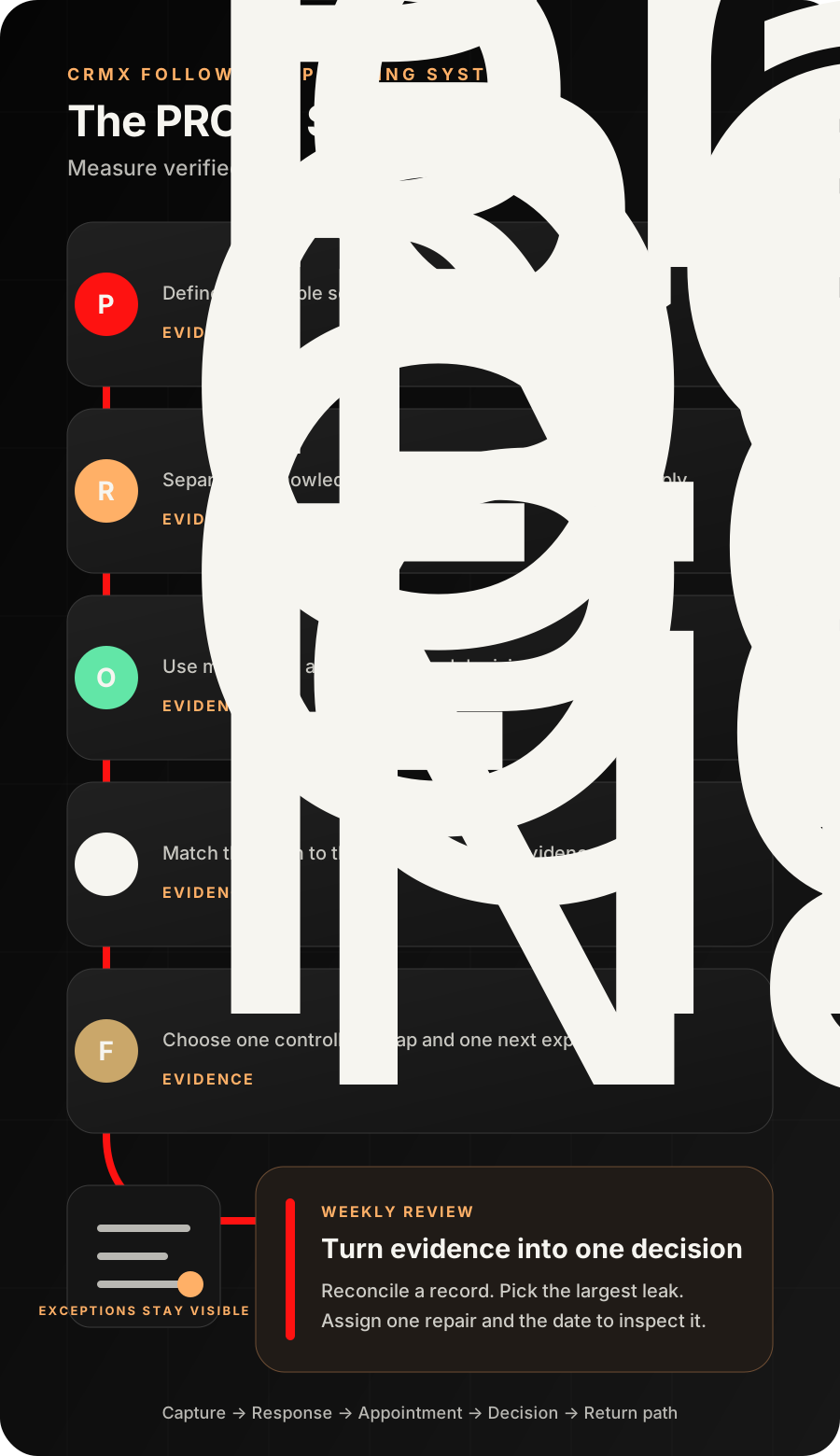
A follow-up dashboard is only as good as its evidence
A dashboard can show a large number of leads, messages, tasks, workflow enrollments, and open opportunities while the business still loses the next step.
Why? Because activity and evidence are different.
- A form submission proves that the selected form recorded a submission. It does not prove the contact information works.
- An automated acknowledgment proves that the workflow reached a send action. It does not prove a person replied.
- A task proves that work was assigned. It does not prove that anyone did it.
- A pipeline move proves that a record changed. It does not prove the customer decided.
- A booking proves that an appointment was created. It does not prove that the appointment was held.
- A review request proves that an ask was sent. It does not prove satisfaction, a public review, or a referral.
The scorecard must preserve those boundaries. Otherwise, the business rewards motion and misses the leak.
The practical rule is simple: name the event, name the evidence, name the owner, and name what the evidence does not prove.
Use the five-layer evidence ladder
Do not collapse the entire customer journey into one conversion percentage. Build the scorecard from five layers.
| Evidence layer | What the business can inspect | What it still does not prove |
|---|---|---|
| Capture | source, form or call event, service interest, usable contact, created time | fit, permission for every channel, or buying intent |
| Response and ownership | automated acknowledgment, customer reply, delivered team reply, assigned owner, due next step | complete answer, qualification, or customer agreement |
| Appointment | booked, confirmed, rescheduled, canceled, no-show, or held state | estimate delivered, job won, or work completed |
| Decision | proceed, decline, later date, needs clarification, or human review | payment, fulfillment, satisfaction, or referral |
| Return path | dated long-term follow-up, reactivation eligibility, renewal date, review or referral state | future conversion or customer advocacy |
Each layer belongs to a different part of the CRMX Revenue Flywheel. The scorecard should show where movement stops between layers, not merely how much activity occurred inside one layer.
The CRMX PROOF Scorecard
P — Preserve the start event
Every metric needs a trustworthy starting population.
For an inbound web inquiry, that may be a submission from one selected form. The current Form Submitted documentation supports filtering the workflow to a selected CRM form and using its submitted data in the contact journey.
For a phone path, the start may be a verified inbound call state. For a referral, it may be the referred person's own form submission. For a renewal, it may be a maintained agreement date.
Do not mix these events into one anonymous Lead Created number unless the next step is genuinely comparable.
Preserve at least:
- source and campaign context;
- service line;
- inquiry timestamp and business timezone;
- staffed or unstaffed period;
- property or service-area state when relevant;
- current owner or queue;
- current follow-up phase;
- the next expected event.
If the source promise was “request an estimate,” do not score the record as if the person requested an emergency dispatch. Attention and Lead Capture must stay connected to the follow-up definition.
R — Record the real response
Track automated acknowledgment, customer reply, AI conversation, and human response separately.
The Customer Replied trigger can react when a contact replies and can be narrowed by supported filters such as channel, tag, phrase, intent type, or originating workflow. A reply is a strong conversation signal. It is not automatically a booking or a qualified opportunity.
The User Replied trigger has a narrower meaning: a delivered message sent by a team user from Conversations. Workflow messages and Conversation AI messages do not fire it.
That distinction creates three useful response states:
- Acknowledged automatically — the system sent the approved receipt or first message.
- Conversation active — the contact or Guy produced a new conversational event that requires the route to change.
- Human response delivered — a team user sent a delivered message through the defined conversation path.
Choose the state that matches the business question. If the goal is “Did the customer get an immediate acknowledgment?”, use the first. If the goal is “Did a person take over the exception?”, require the third.
The documented Wait action can wait for a contact reply or a user reply and use a timeout path. That makes the unresolved queue visible. The business still chooses the real service standard and escalation owner; CRMX does not create a universal response-time promise.
O — Observe the next state
A useful response should lead to an observable next state.
For an initial inquiry, the next state may be:
- booked on the intended calendar;
- human review with an owner and due step;
- follow-up active with a dated next action;
- outside service area or unsupported request;
- duplicate or invalid;
- closed at the customer's request.
For an appointment, the next state may be confirmed, rescheduled, canceled, no-show, or held. The current Appointment Status trigger documentation supports reacting to maintained appointment status changes. Test the exact calendar and status path before using it as reporting evidence.
For an estimate or proposal, the next state may be proceed, decline, later, needs clarification, or still awaiting a decision. The Opportunity Changed documentation supports filters for changes to pipeline, assignment, status, tags, and supported custom fields.
A stage is useful only when the team agrees on its entry rule. Estimate Sent should not mean “someone planned to send it.” Won should not mean “the salesperson feels optimistic.” Later should include a reason and next date.
O — Only count verified outcomes
Use the weakest truthful claim the evidence supports.
If the workflow log says Send SMS: success, record that the action executed. Do not upgrade the claim to received, read, understood, or agreed.
If the appointment record says Booked, record booked. Do not upgrade it to showed.
If the opportunity moved to Won, reopen the exact record and confirm that the business's defined proceed evidence exists before treating it as a commercial outcome.
The current Execution Logs and Enrollment History documentation shows how contacts moved through workflow actions and exposes skipped, failed, removed, completed, and in-progress paths. Use those logs to verify the automation. Then verify the conversation, contact, appointment, opportunity, task, and final owner agree.
This is the central discipline of the scorecard: a successful automation step is not automatically a successful customer journey.
F — Find the leak and assign the next experiment
The scorecard earns its keep when it changes a decision.
Do not ask, “How do we improve everything?” Ask:
- Which eligible inquiries have no usable owner?
- Which source creates incomplete context?
- Which service line has an aging human-review queue?
- Which calendar has appointments without a maintained outcome?
- Which held appointments have no next commercial state?
- Which not-now records have no next date?
- Which post-sale records have no defined return path?
Choose one leak, assign one owner, change one part of the operating system, and set a review date. That may mean improving a form question, narrowing a workflow trigger, changing an assignment rule, clarifying a pipeline state, training Guy on a bounded question, or repairing a human handoff.
The objective is not a prettier chart. It is a smaller unresolved queue and more truthful movement.
Define the five core measures before building the dashboard
Use a metric dictionary for every scorecard item.
| Definition field | Required answer |
|---|---|
| Purpose | What decision will this measure change? |
| Eligible population | Which records belong in the denominator? |
| Start event | What observable event begins the clock or state? |
| Stop event | What observable event completes the measure? |
| Exclusions | Which tests, duplicates, invalid records, or unsupported requests are removed? |
| Owner | Who maintains the field and who acts on the exception? |
| Review rhythm | Daily queue, weekly operating review, monthly trend, or another real cadence? |
| Drill-down | Which exact contact, conversation, appointment, opportunity, task, and log can a manager inspect? |
Start with these five measures.
1. Capture completeness
Question: Of eligible inquiries, how many have the minimum context required for the next route?
The minimum may be source, usable contact method, requested service, area state, current owner, and next step. Do not require twenty fields when five make the decision.
Report missing fields by source. A low-quality form, import, phone note, or referral handoff needs a different repair.
2. Owned response coverage
Question: Of eligible inquiries or exceptions, how many received the response evidence the process requires before the defined deadline?
Keep these measures separate:
- automated acknowledgment coverage;
- active-conversation coverage;
- delivered human-response coverage;
- owner-and-due-step coverage.
Do not combine staffed and unstaffed hours if the operating promise differs. Do not compare an urgent service queue with a scheduled remodeling estimate unless the next-step standard is truly the same.
3. Appointment outcome coverage
Question: Of scheduled appointments, how many have a verified outcome state?
Useful states include confirmed, rescheduled, canceled, no-show, held, and exception requiring review. A blank outcome is the leak.
This measure improves the transition into appointment preparation and show-up follow-up. It also prevents the team from treating the calendar as proof that the appointment happened.
4. Decision coverage
Question: Of held estimates, inspections, or sales appointments, how many reached a truthful commercial next state?
Use a small state set:
- proceed;
- decline with reason;
- later with reason and next date;
- needs clarification with owner;
- follow-up active with next action;
- invalid or duplicate.
The seven-day estimate follow-up ladder can move the decision. The scorecard measures whether the decision state became visible.
5. Return-path coverage
Question: Of eligible not-now, dormant, renewal, or post-sale records, how many have a real next date or an honest close reason?
This is where the Second Double and Raving Fan work becomes measurable. A record does not have a long-term path because a tag says Nurture. It has a path when the reason, audience, next date, owner, message boundary, and exit condition are defined.
Use customer reactivation only for eligible records with a relevant reason to restart. Use seasonal, renewal, review, referral, or service follow-up only when the underlying customer state supports it.
Build the scorecard in CRMX
Treat this as an implementation specification, not a claim that an existing account is already configured.
1. Pick one service line and one source
Start with one high-value path: a selected HVAC service form, a plumbing call queue, or a roofing estimate funnel.
List the five evidence layers and the exact records that carry them. Do not begin with every source, service, calendar, pipeline, and office.
2. Create stable state fields
Use the smallest field set that can answer the scorecard:
- inquiry source;
- service line;
- capture-complete state;
- inquiry start time;
- staffed-period state;
- current owner;
- response evidence type;
- response evidence time;
- appointment outcome;
- commercial decision state;
- decision reason;
- next action;
- next action due;
- return-path type;
- return date;
- close reason.
Do not let free-text summaries replace the few fields needed for routing and reporting.
3. Make workflows write states, not conclusions
Use workflows to preserve observable events, assign work, wait for replies, notify owners, and update the intended record.
Do not let a workflow infer that:
- a customer is qualified because they replied;
- a booking means the appointment was held;
- a held appointment means an estimate was delivered;
- a stage move means revenue was collected;
- a completed job means the customer is satisfied;
- a review request means a review exists.
Automate the repeatable movement. Keep diagnosis, technical scope, pricing, eligibility, commercial decisions, and customer-experience judgment with the approved person.
4. Build one exception queue
Every scorecard needs a place for records that cannot be counted cleanly.
Create a visible queue for:
- missing source or service context;
- missing owner;
- expired due step;
- contradictory states;
- duplicate opportunities;
- appointment without outcome;
- held appointment without decision;
- not-now record without return date;
- workflow error or skipped action;
- customer reply waiting for a person.
An exception queue is more useful than silently forcing incomplete records into a success or failure bucket.
5. Build the decision surface last
The current dashboard-widget documentation supports saved conditions, custom titles, widget-specific date settings, comparison periods, and filters on supported opportunity fields.
Use those controls only after the definitions are stable. Name the widget so the audience can see the denominator and time basis, such as:
- HVAC web inquiries awaiting owned response
- Roofing inspections held with no decision state
- Plumbing appointments missing an outcome
- Not-now opportunities missing a return date
The dashboard may not natively calculate every proposed rate. Use the supported widget, custom report, list, export, or review method that matches the definition. Do not change the definition merely because a prettier widget is available.
Reconcile each view against one record that should appear and one that should not. Confirm the source, owner, date property, tags, custom fields, stage, and status behind the display.
Use case 1: HVAC service-request follow-up
An HVAC company starts with inquiries from one service form.
The scorecard defines:
- Start event: selected service form submitted;
- Capture evidence: usable contact, requested service, postal code, source, owner;
- Response evidence: automated acknowledgment tracked separately from a delivered office reply;
- Next state: booked service visit, human review, later, outside area, invalid, or closed;
- Appointment evidence: confirmed, rescheduled, canceled, no-show, held, or exception;
- Return path: unbooked but eligible records receive a dated, relevant follow-up state.
The weekly review finds that most incomplete records come from one mobile form version missing the postal-code mapping. That is a capture repair, not a copy problem. The team fixes the form and workflow mapping, reruns authorized test records, and reviews the next cohort.
Guy may acknowledge the submission, ask the approved routing question, offer the correct calendar when the route is eligible, and hand an exception to the office with the captured context. Guy does not diagnose the equipment, invent urgency, promise a technician, or mark the appointment held.
Use case 2: roofing estimate-decision follow-up
A roofing company measures replacement inquiries separately from repair requests.
The scorecard defines:
- Start event: verified estimate request;
- Capture evidence: property location, service category, source, contact method, estimator owner;
- Appointment evidence: inspection booked and later marked with a verified outcome;
- Decision evidence: proceed, decline, later with date, needs clarification, or active follow-up;
- Return path: eligible later opportunities carry a reason, next topic, next date, and owner;
- Close evidence: actual close reason, not a generic lost label.
The weekly review finds a cluster of held inspections with no decision state. The lead source is not the immediate problem. The handoff from inspection to estimate follow-up is incomplete.
The business adds one required estimate-outcome step, assigns the owner, and uses the home-service lead follow-up system and estimate ladder only after that state exists. The next review checks whether the undecided queue now has a truthful next action.
Give Guy a bounded measurement role
A trained CRMX AI employee can support the scorecard without becoming the judge.
Guy may:
- assemble the current evidence from approved fields;
- flag a missing owner, next step, or date;
- ask an approved routing question;
- acknowledge a customer reply;
- offer the correct tested calendar;
- hand an exception to a person with context;
- summarize the unresolved queue for review.
Guy should not:
- decide that a lead is qualified without the business's rule;
- infer consent for a channel;
- diagnose a service issue;
- promise a response time, price, crew, availability, or outcome;
- mark an appointment held without the approved evidence;
- mark an opportunity won or lost from sentiment;
- infer satisfaction, approval, a review, or a referral;
- hide an exception to make the scorecard look better.
The AI employee helps preserve Rhythm. The human owner remains accountable for the decision the evidence cannot make.
Run a 20-minute weekly PROOF review
Keep the meeting short and operational.
- Reconcile one record. Open a known contact and compare the conversation, appointment, opportunity, task, workflow log, and dashboard state.
- Review the five measures. Look for missing context, ownerless work, appointment gaps, undecided records, and missing return dates.
- Choose the largest controllable leak. Do not chase every red number.
- Assign one owner and one experiment. Change one form, workflow, field rule, handoff, script, or queue.
- Set the evidence and review date. Decide what would show that the repair worked or failed.
If the meeting ends with “send more messages,” the diagnosis is incomplete. The leak may be source quality, missing context, wrong ownership, unavailable calendars, unclear offers, late decisions, or a broken return path.
PROOF launch checklist
Definitions
- Every measure has a purpose and a decision owner.
- The eligible population and exclusions are written down.
- The start and stop events are observable.
- Automated acknowledgment, AI activity, customer reply, and human reply are separate states.
- Staffed and unstaffed periods are separated when their operating rules differ.
- Service lines and sources are compared only when the next step is comparable.
Records and workflows
- Source, service, owner, phase, next action, and next date have stable fields.
- Appointment and opportunity states have written entry rules.
- Workflow triggers are narrow enough to preserve context.
- Reply, booking, human takeover, close, and opt-out stop incompatible follow-up.
- Timeout branches lead to a visible person or exception queue.
- Execution logs and underlying records agree on authorized test cases.
Reporting
- Each widget or report names its date basis and population.
- One known included record and one known excluded record are checked.
- Missing and contradictory states remain visible.
- Activity is not labeled as outcome.
- The dashboard links back to records the owner can act on.
- The weekly review creates one assigned experiment and review date.
Frequently asked questions
What is the most important home-service follow-up metric?
The most important metric is the one that exposes the current constraint. Begin with owned next-step coverage: eligible records with a named owner and a real next action. Then inspect whether the leak is capture, response, appointment, decision, or return path.
Should automated messages count as responses?
Count them as automated acknowledgments. Do not merge them with delivered team-user replies or customer conversations. Each evidence class answers a different operating question.
Should I use an industry response-time benchmark?
Not as a substitute for your operating promise. Define the response state, eligible hours, service line, owner, escalation, and evidence your team can support. Then improve against the same truthful definition.
Can CRMX calculate every PROOF metric automatically?
Not necessarily. CRMX can preserve the events and states through forms, Conversations, workflows, pipelines, calendars, fields, logs, and reporting surfaces. Use the supported reporting method that matches each definition, and reconcile it to real records before trusting the number.
How often should the scorecard be reviewed?
Review active exception queues as often as the operating promise requires. Use a weekly review to choose one process repair, and use longer trend windows only after definitions remain stable.
Make the next state visible
Do not start by adding twelve widgets.
Start with one service line, one source, five evidence layers, and one exception queue. Define what counts, reopen the records, and fix the largest controllable leak. Then expand the scorecard only when the first version produces better decisions.
Explore the full CRMX home-service system and see how forms, Conversations, workflows, pipelines, calendars, dashboards, and reporting work together on the CRMX platform. If you want CRMX to map the PROOF Scorecard around your real follow-up process, explore implementation services or request a live strategy demo.
Sources and further reading
- Official Support: Form Submitted workflow trigger
- Official Support: Customer Replied workflow trigger
- Official Support: User Replied workflow trigger
- Official Support: Workflow Wait action
- Official Support: Appointment Status workflow trigger
- Official Support: Opportunity Changed workflow trigger
- Official Support: Workflow execution logs and enrollment history
- Official Support: Configure and filter general dashboard widgets